Every page open, and your own manual that works with no internet
Membership opens every page, recipe and field guide on this site. Save the ones that fit your household into your own manual, then keep it on your phone, searchable, for the day the grid or the internet is down.
One payment. Cancel any time and keep the year you paid for.
Sign in by email. No password.
The biggest thing a membership gives you
Your whole manual on your phone, searchable, with nothing else working
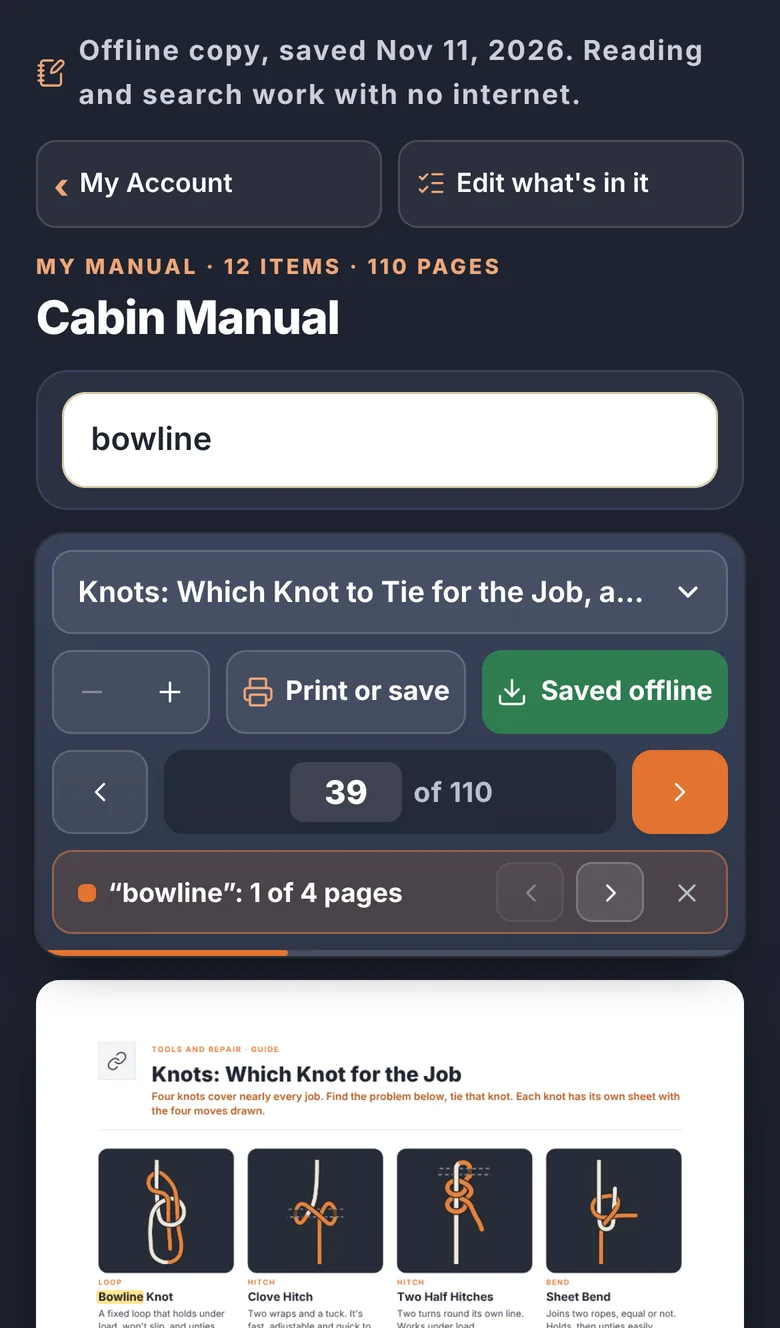
Most of what you know how to look up lives on the internet. When the grid goes down, so does that. Build your manual from anything on this site, press Save offline once, and every page of it is kept on your own phone or computer along with the search. Type a word and the answer comes up in a second, with no signal at all.
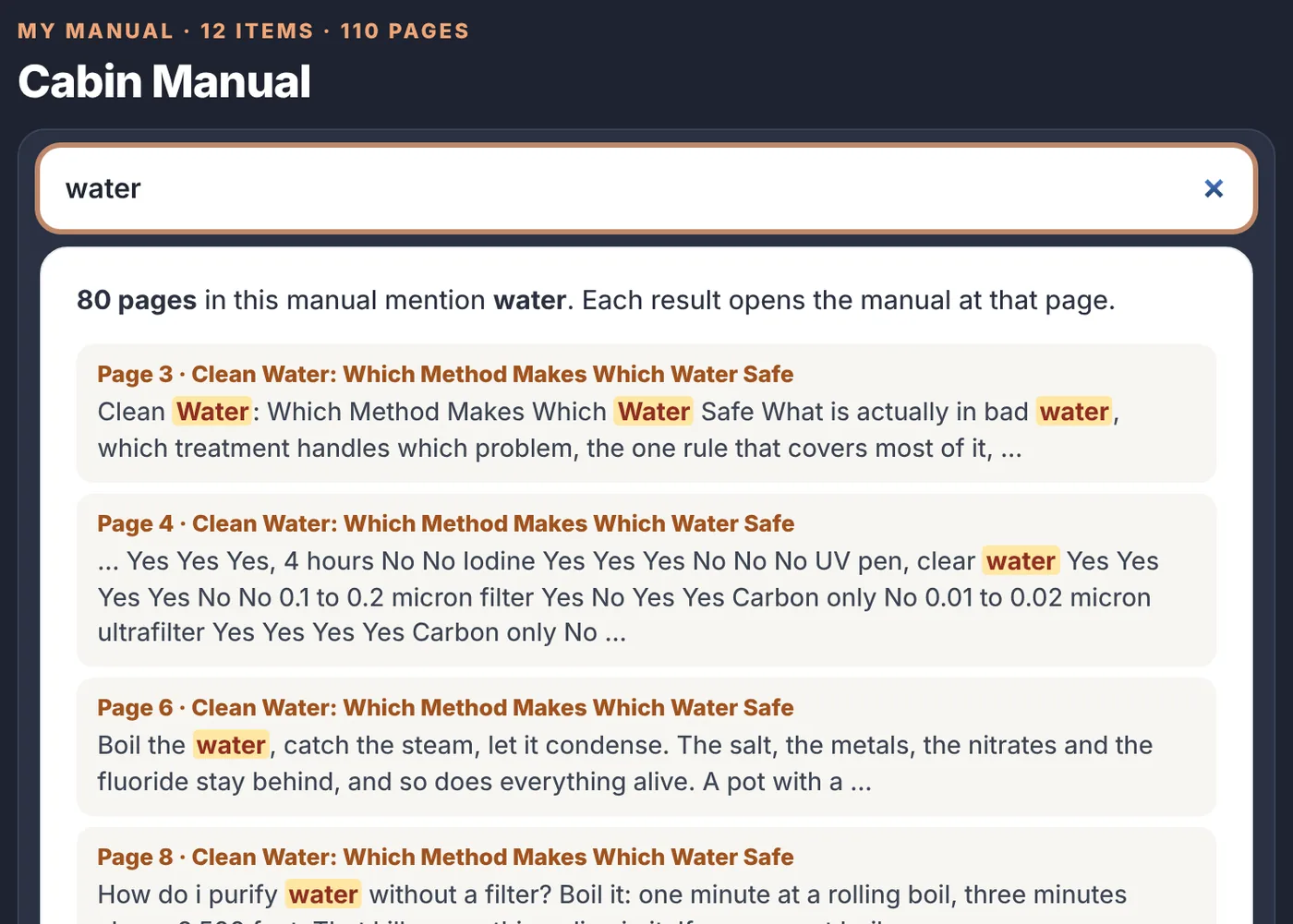
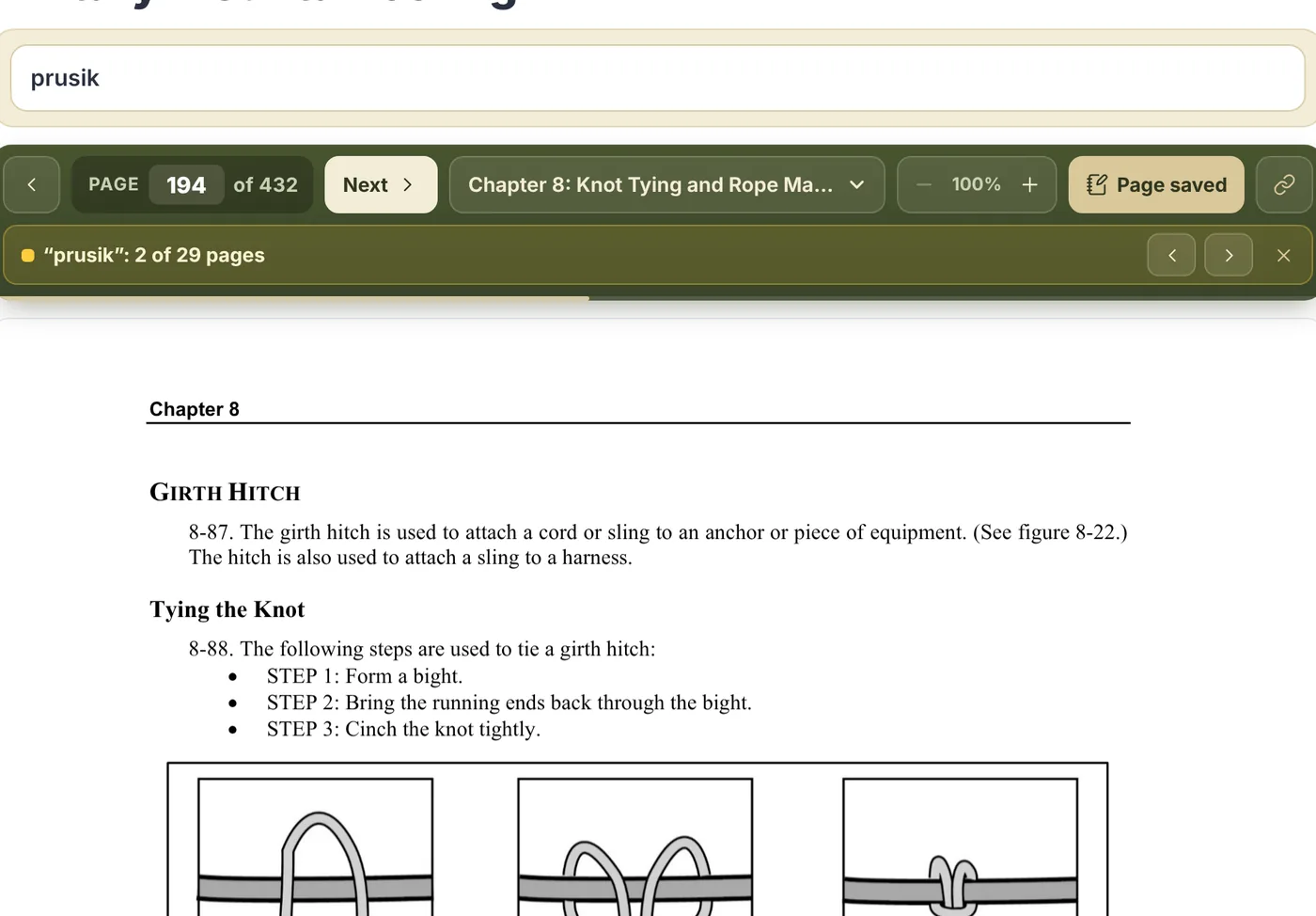
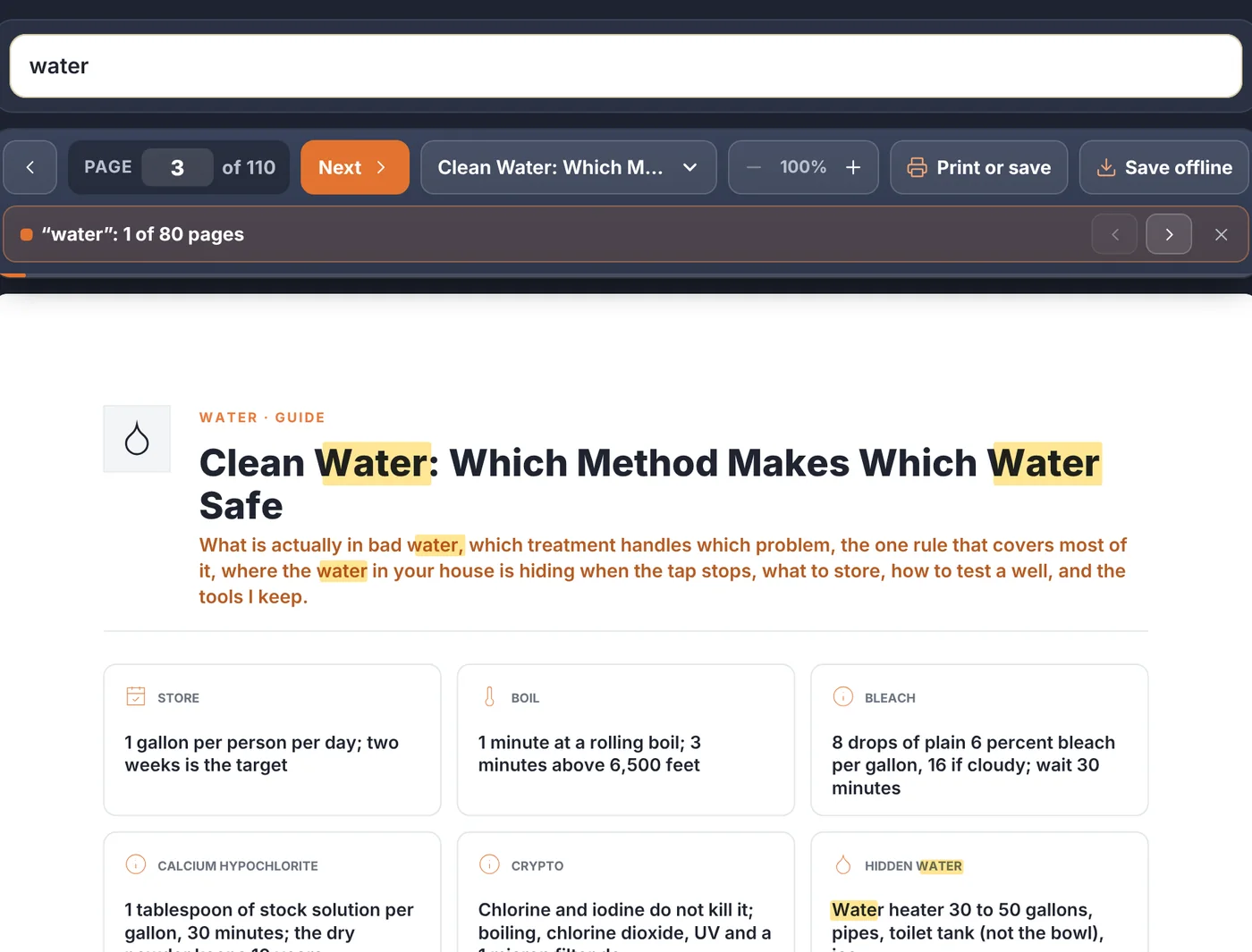
Search still works. Type bowline, bleach or tourniquet and go straight to the page, with the word marked.
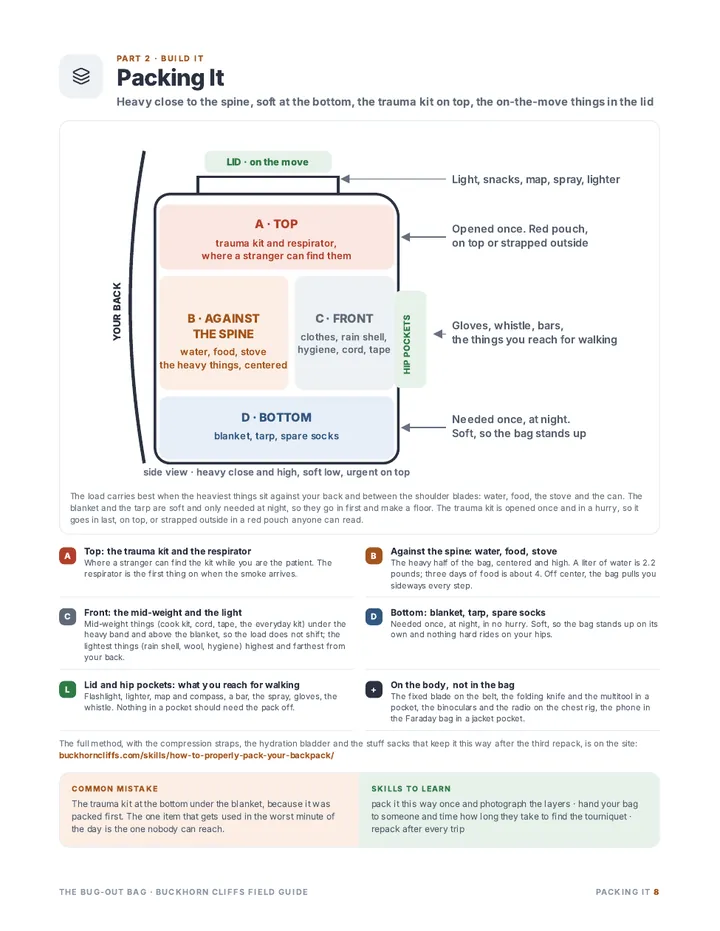
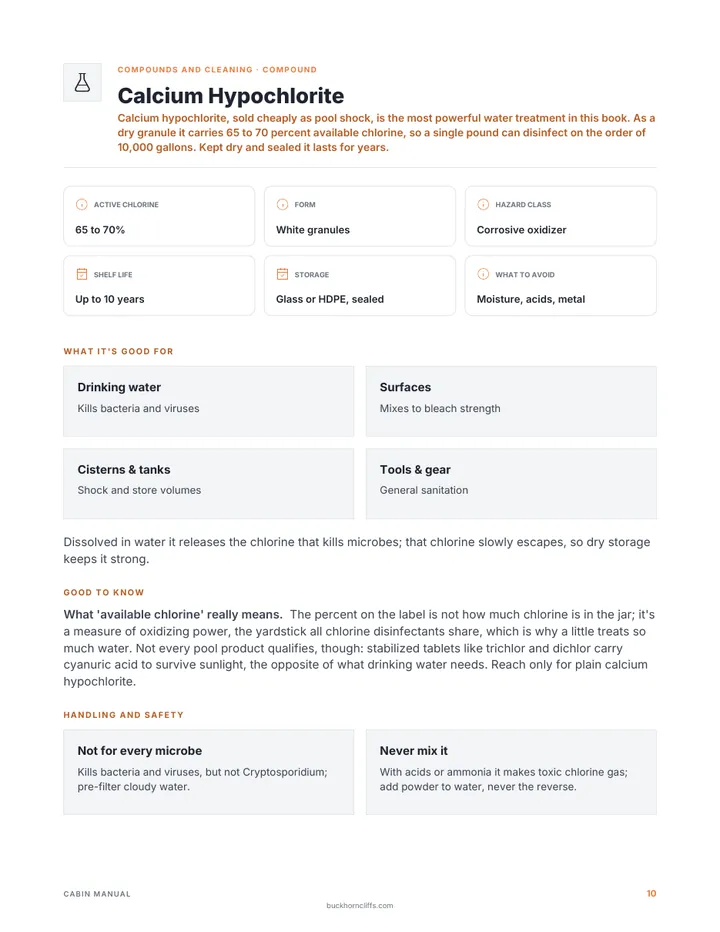
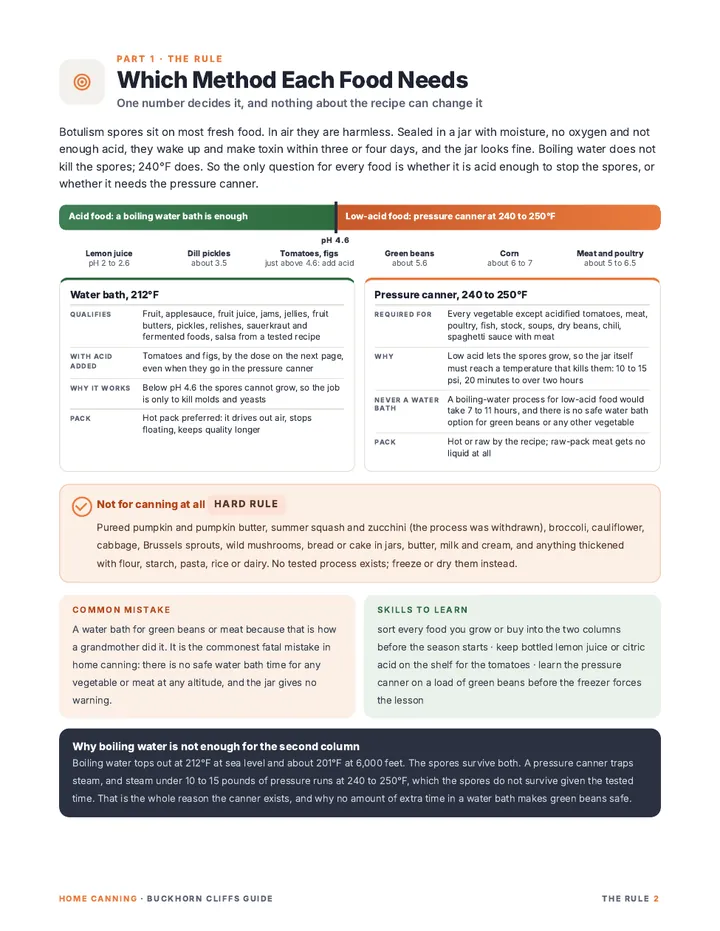
Everything you picked is in it. Pages, recipes with exact amounts, whole field guides and single pages out of the Army manuals.
It opens like an app. Put the icon on your home screen and it opens to your manual, with no website around it.
You keep it current. Add pages any time you're online and save again. It stays open on your device for as long as you're a member.
The router is dead and the phone shows no bars. Your manual opens anyway.
Internet is down
A storm, a cut line, an outage three states away. Nothing in your manual needs it.
No signal where you are
At the cabin, on the trail, on the road. The whole manual went with you.
Start to finish
From the whole site to a manual that's yours
1
Start with everything on the site
Sign in and every page, recipe, field guide and Army manual is open. Read any of it on screen or download it.
158 member pages138 recipes13 field guides9 Army manuals6 sheets and cards
2
Save what fits your household
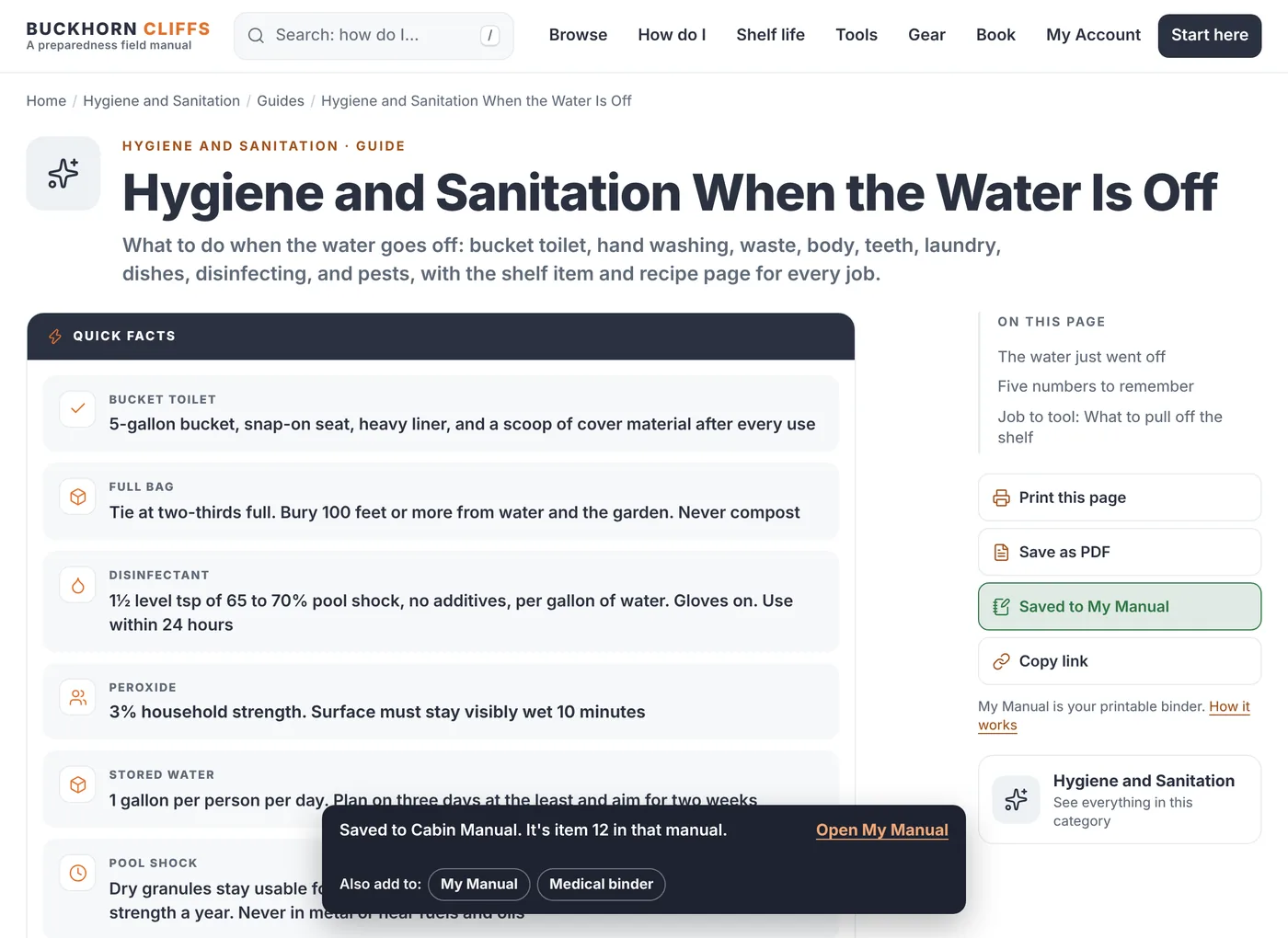
Every page has a Save to My Manual button. Press it and that page is in your binder. Take a whole field guide, one recipe, or a single page out of an Army manual.
A pageA recipeA whole field guideOne Army page
3
Put your manual in order
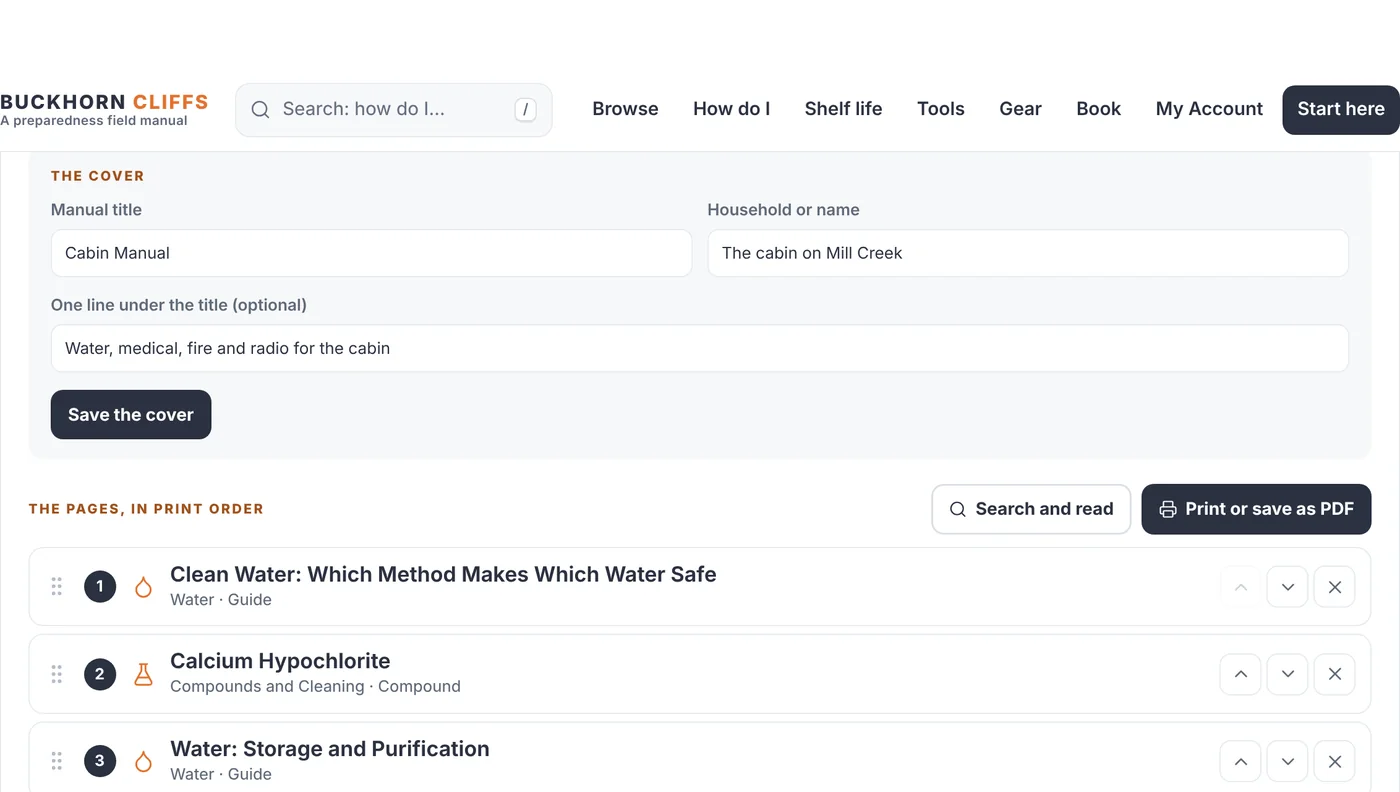
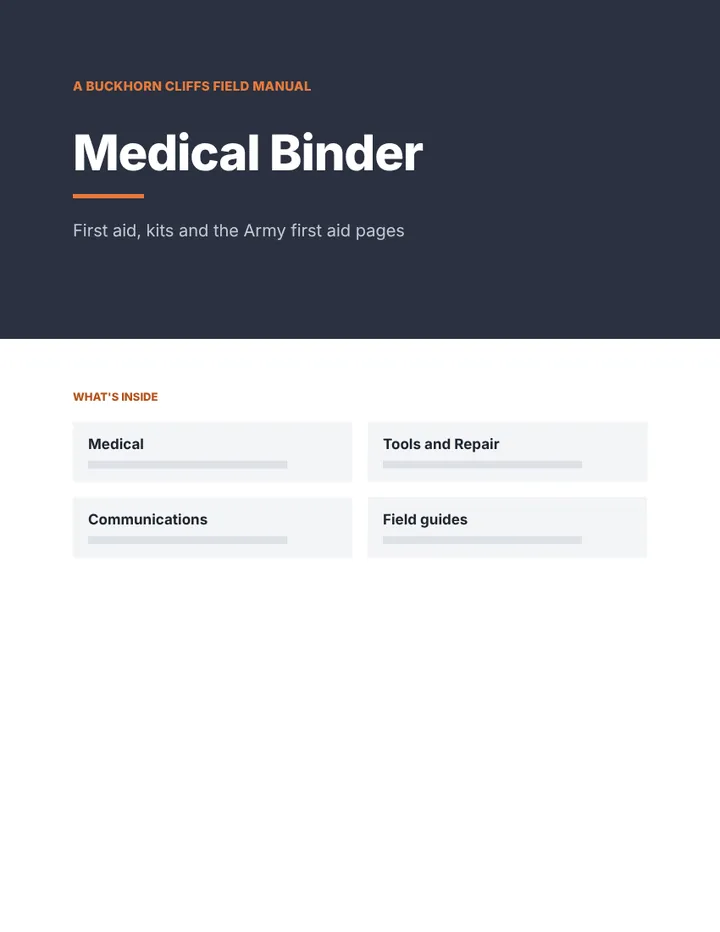
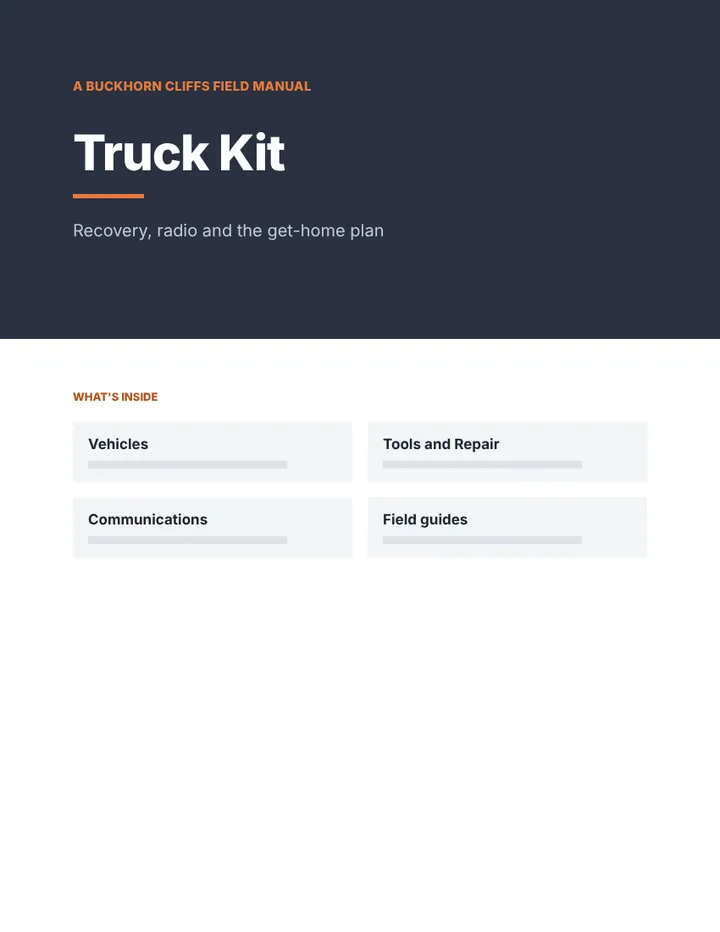
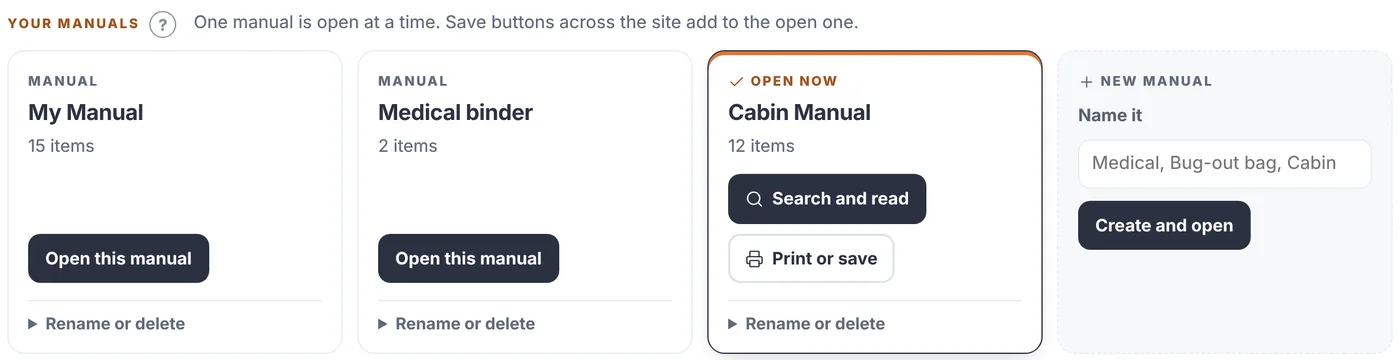
Name it, write the cover, and drag the pages into the order you want. Make more than one: a binder for the cabin, one for medical, one for the truck.
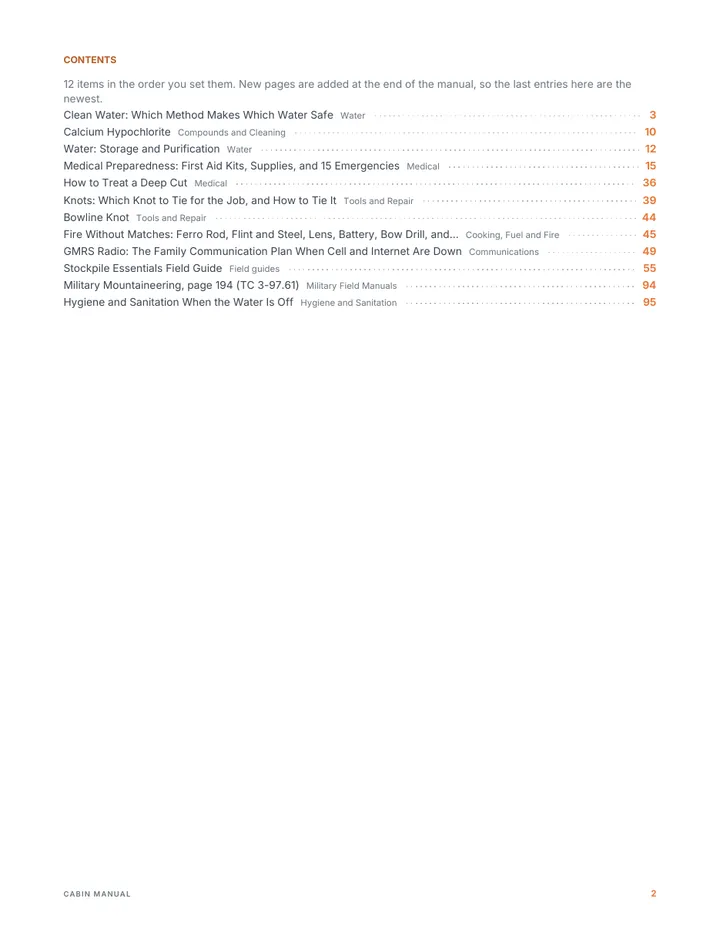
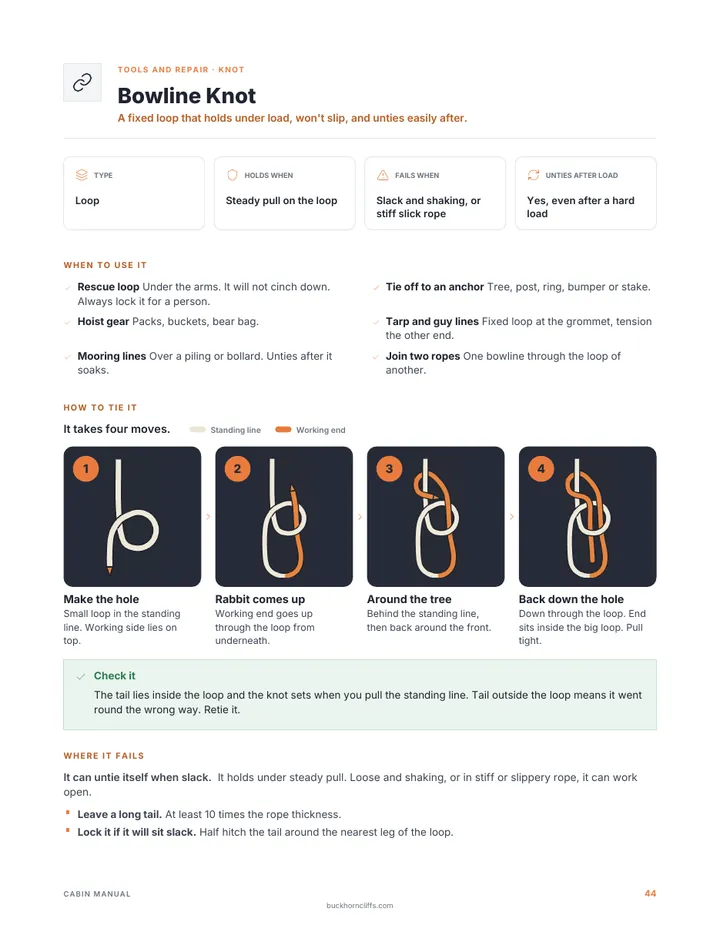
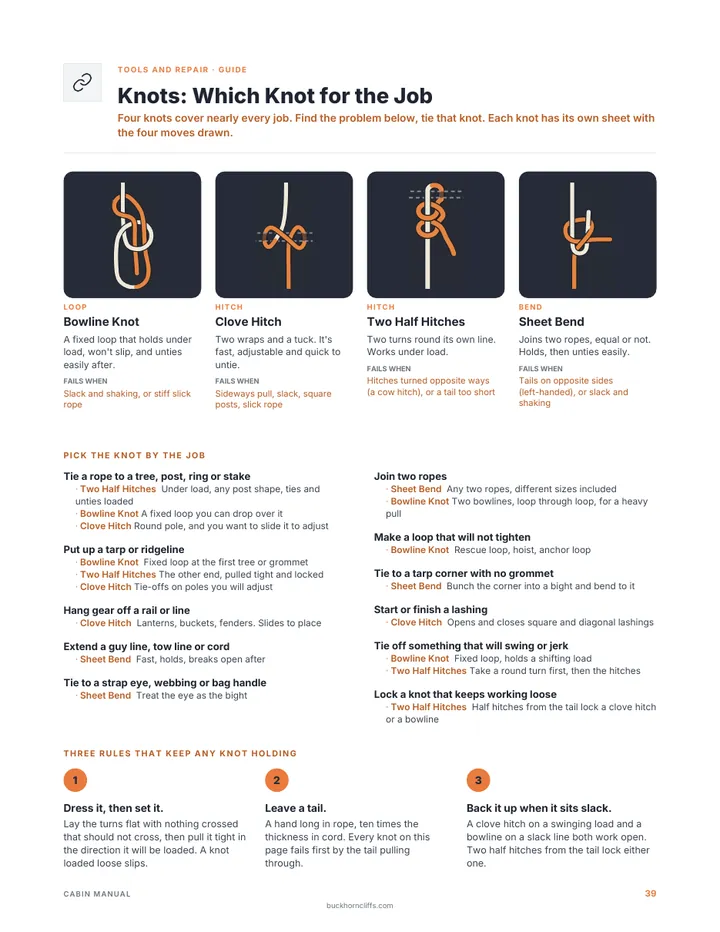
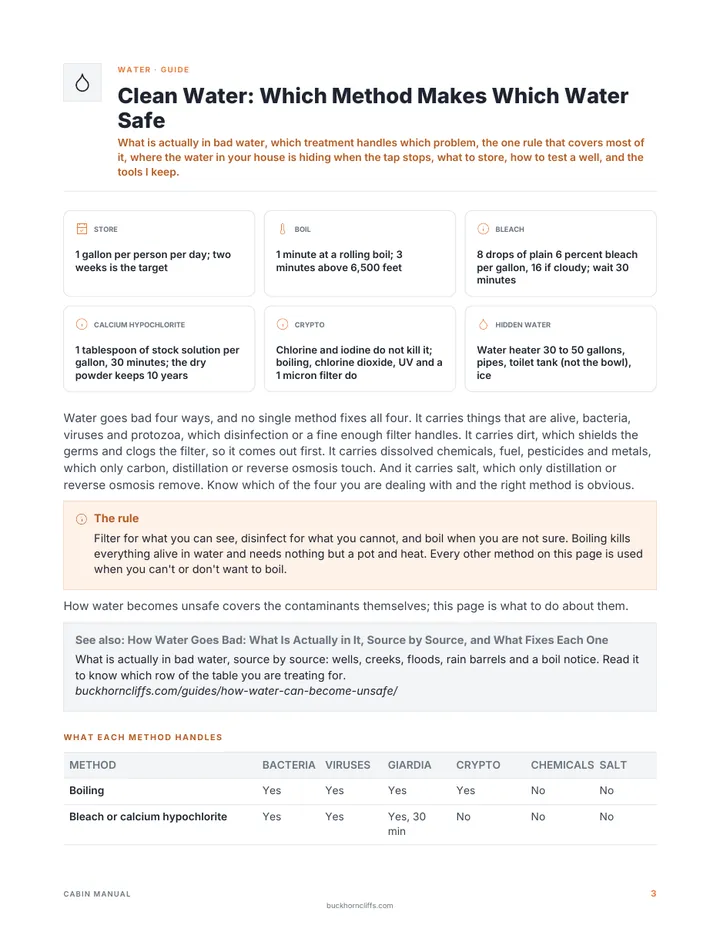
A cabin manual could holdClean waterPool shock recipeFirst aid kitsKnotsFire without matchesGMRS radioStockpile field guide
4
Search it like your own database
Type a word and every page that has it comes up, with the word marked on the page. Jump to any item, zoom in, turn pages.
Search every pageJump to any itemZoom
Then take it with you
Two ways to keep it
Offline copy
Your searchable manual, with no internet
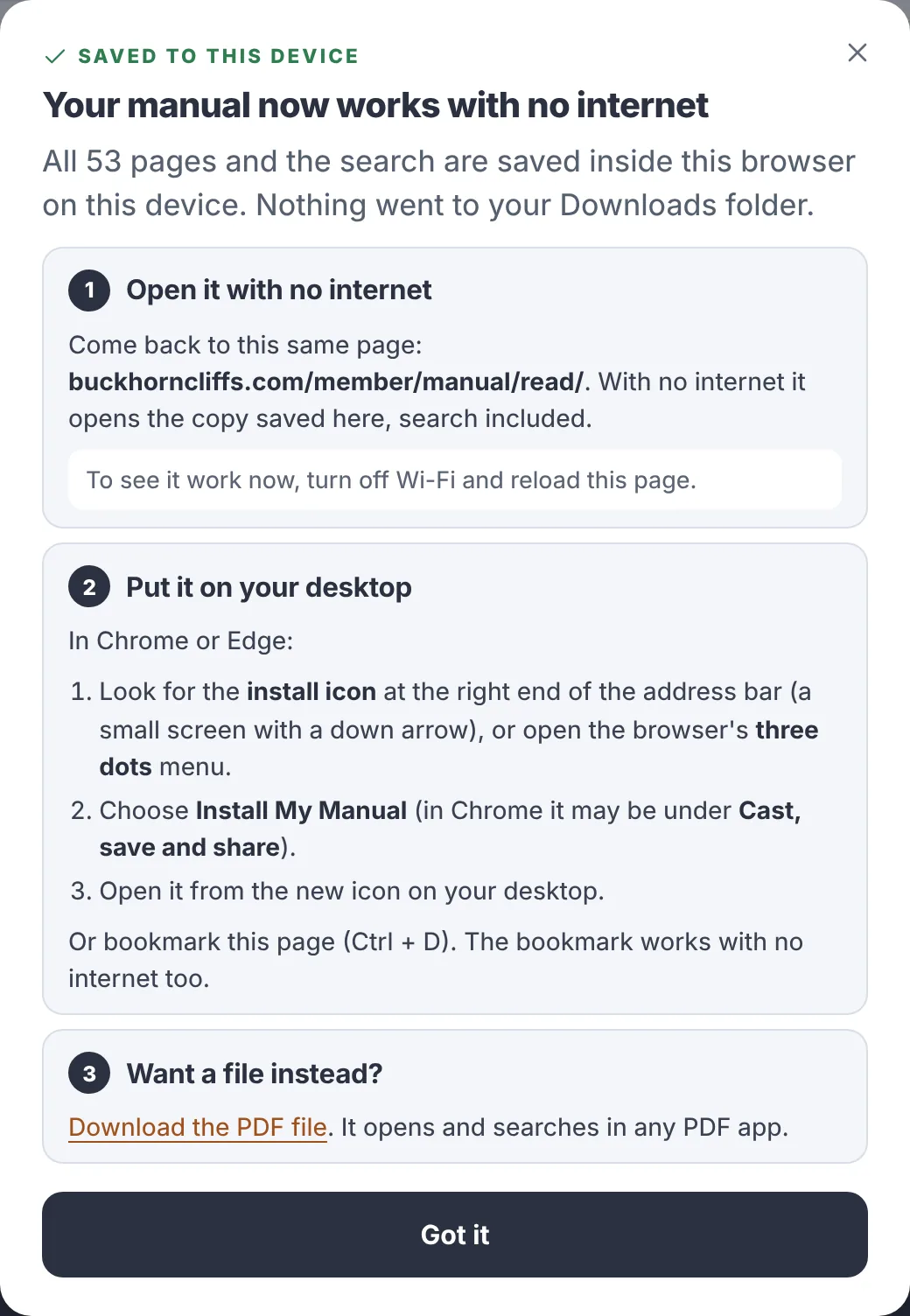
Press Save offline and the whole manual is kept on your phone or computer, search included. When the power or the internet is out, it still opens.
Your custom PDF
One file, laid out for paper
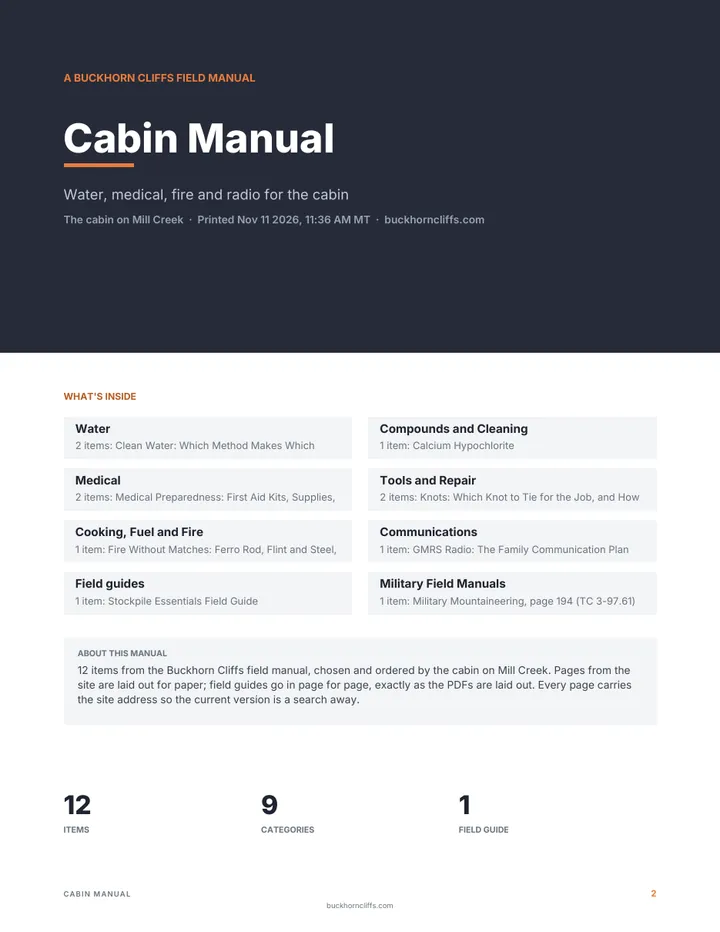
Your cover, a contents page and every page you saved, in your order. Print it as a binder or keep the file anywhere you like.
The exact amounts, every step and every parts list, in every category.
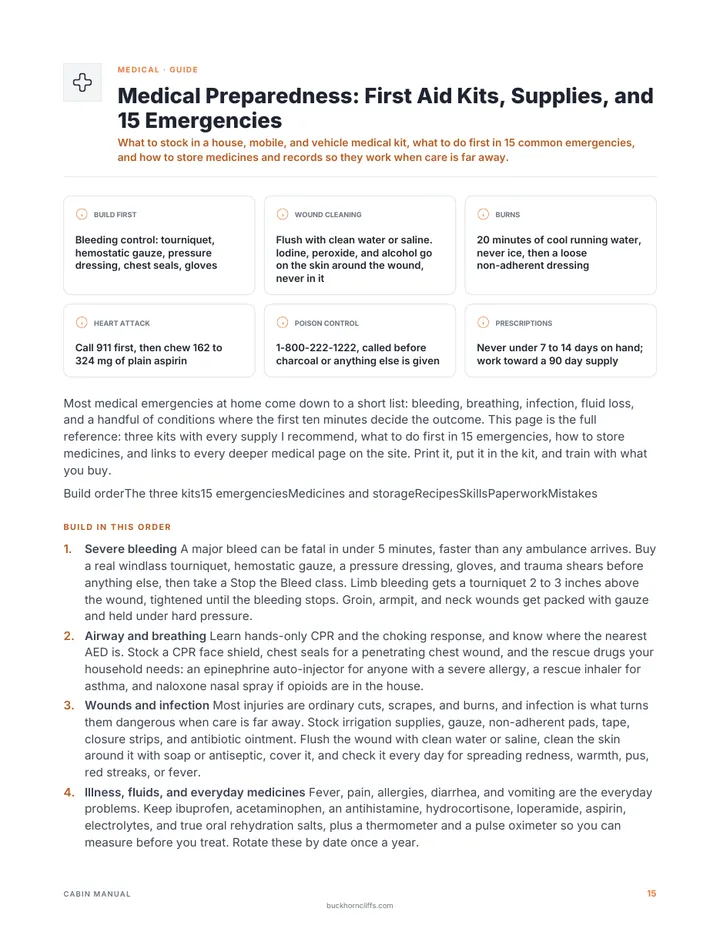
Medical (30)
Hygiene and Sanitation (25)
Tools and Repair (23)
Compounds and Cleaning (21)
Garden and Livestock (21)
Food (19)
Cooking, Fuel and Fire (9)
Water (5)
and 3 more categories
138Recipes from my hardcover book
Every recipe from the Prepper's Chemical Survival Guide with exact amounts, searchable.
Purify Water with Calcium Hypochlorite
Lugol's Iodine Antiseptic for Cuts and Skin Infections
Water Glassing Eggs with Hydrated Lime
Shelf-Stable Laundry Powder
Start a Fire with Potassium Permanganate and Glycerin
Make an Herbal Tincture with Alcohol
Drawing Poultice for Bites, Stings, and Boils
Rust and Scale Removal with Citric Acid
and 130 more
13Field guides to read or download
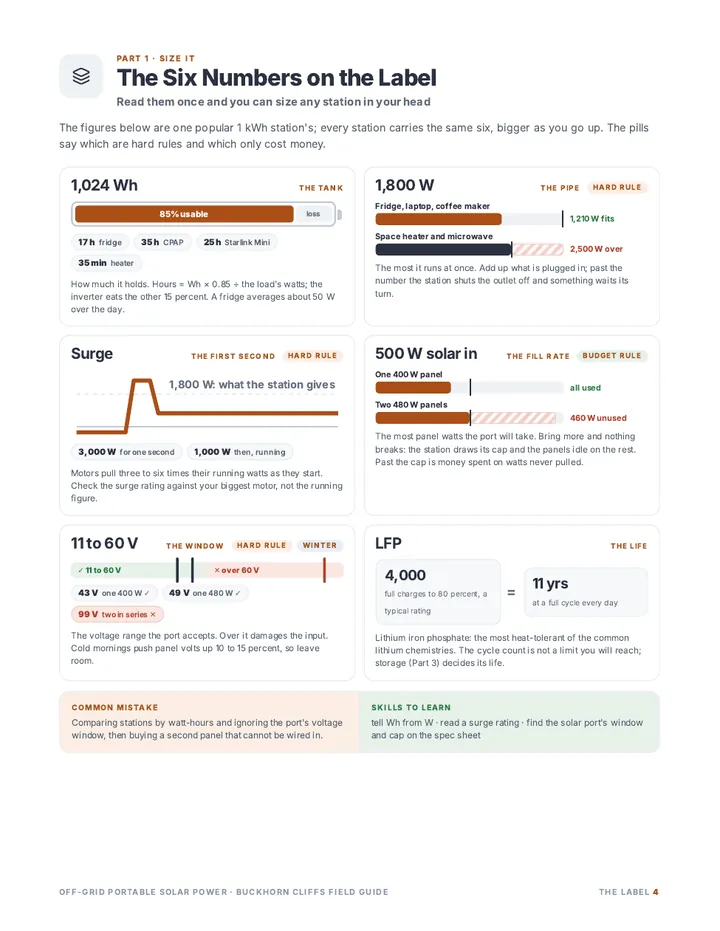
304 pages of PDFs laid out as charts, steps and checklists.
Stockpile Essentials
Survival Foods
Chemical Compounds
Spare Parts and Repair Stock
Walk-Around Preparedness Audit
Preparedness Logbook
Off-Grid Portable Solar Power
Home Backup Power System
Four Knots
Bug-Out Bag
Home Security and Defense
Home Canning
Oxygen Absorbers and Desiccants
9Military field guides
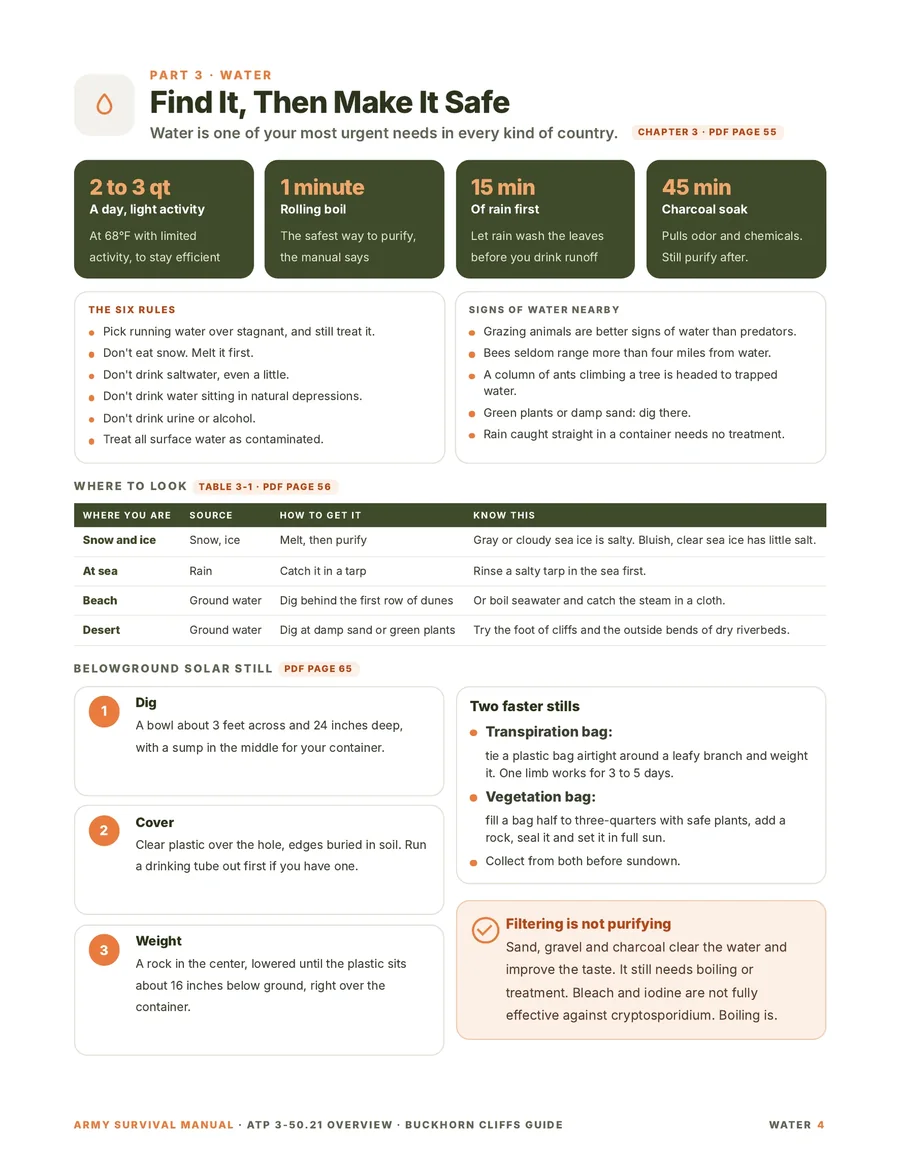
My short field guide for each US Army manual, plus the official PDF with a page reader and search.
Survival
Casualty Response, Tactical Combat Casualty Care, and First Aid
Field Hygiene and Sanitation
Unit Field Sanitation Teams
Soldier's Handbook for Individual Operations and Survival in Cold-Weather Areas
Military Mountaineering
Visual Signals
Foot Marches
Rifle and Carbine
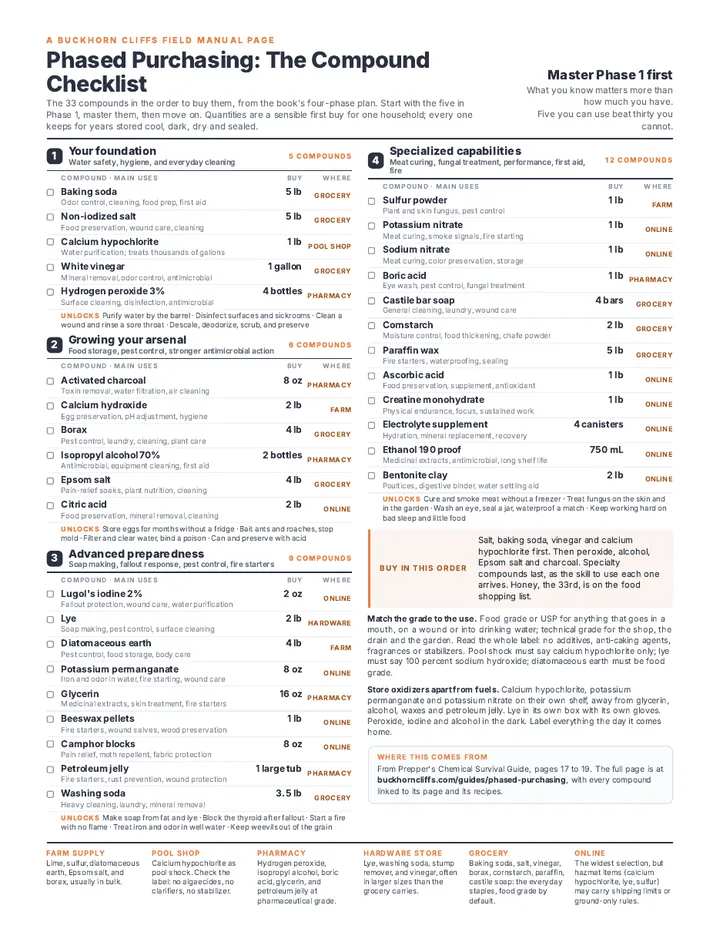
6Printable sheets and cards
Each one laid out to print on its own or add to your manual.
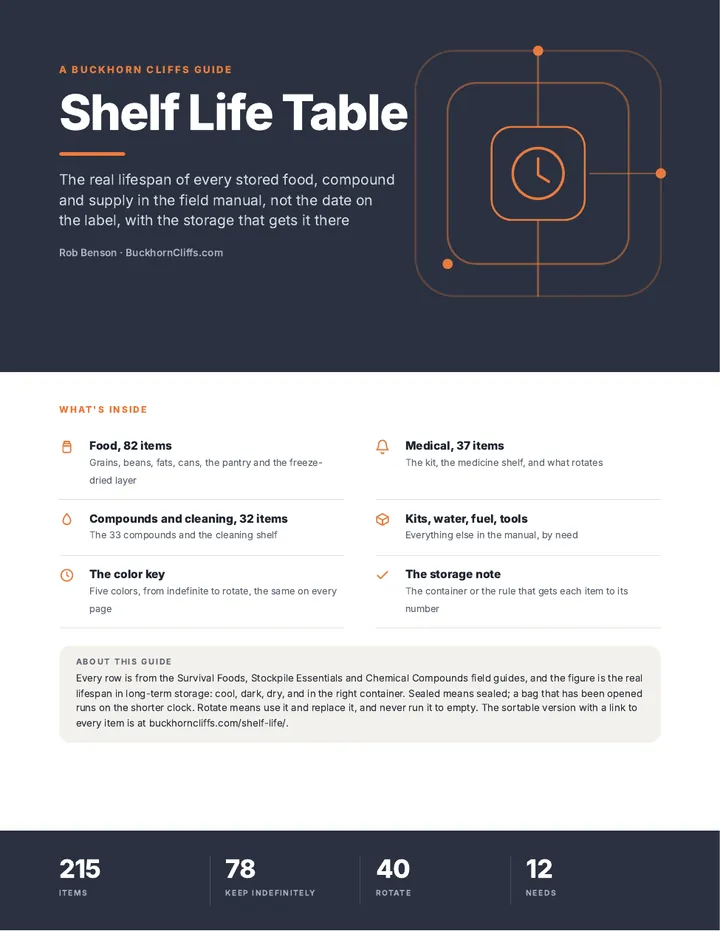
Phased Purchasing Compound Checklist
Preparedness Food Shopping List
Choosing the Right Salt
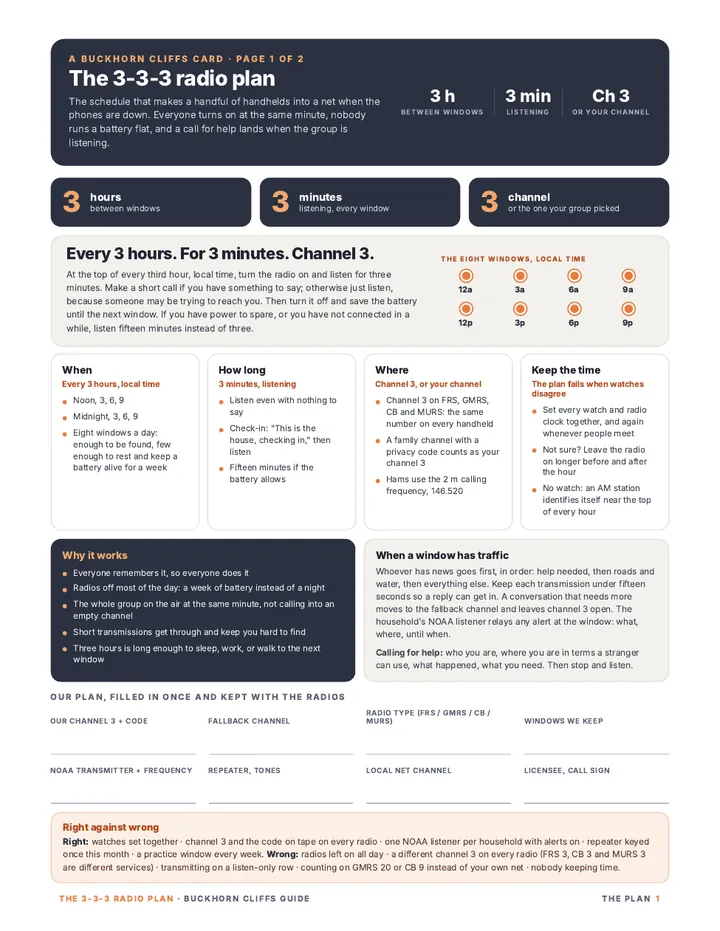
3-3-3 Radio Plan and Frequency Chart
Shelf Life Table
How Long Canned Food Really Lasts
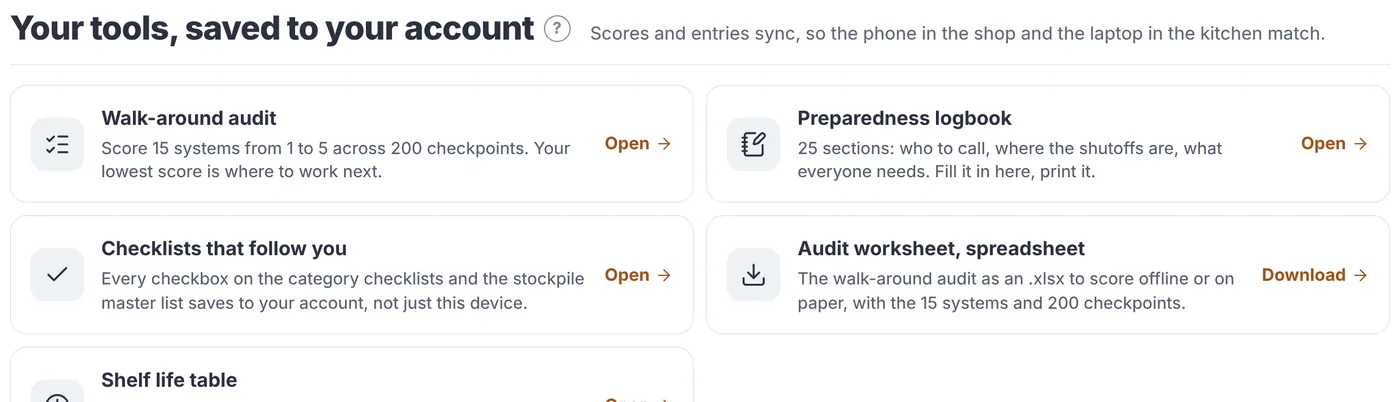
Tools that save to your account
Your answers follow you to every device you sign in on.
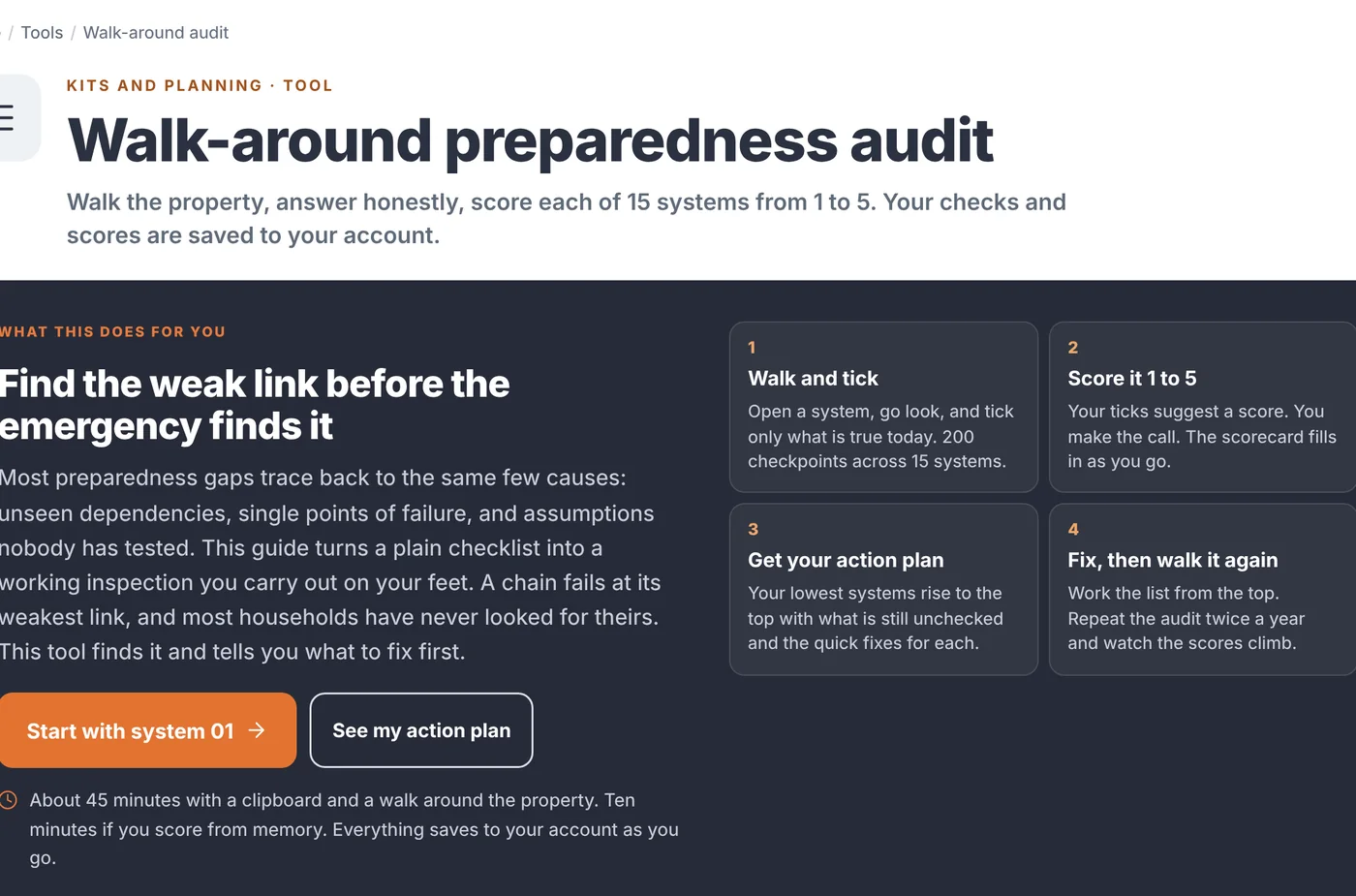
Walk-around audit: 15 systems, 200 checkpoints
Preparedness logbook
Category checklists
Audit worksheet spreadsheet
Free or member
A lot of this site is open to everyone. This is what a membership adds.
Free
Member
Open pages across the site
Yes
Yes
The 9 Army manuals: official PDFs, page reader and search inside
Yes
Yes
Member pages in full: every amount, step and parts list
Locked
Yes
All 138 recipes with exact amounts
Locked
Yes
All 13 field guides and the 9 military field guides, as PDFs
Locked
Yes
My Manual: save pages, set the order, print one binder
Locked
Yes
More than one manual, each with its own name
Locked
Yes
Search and read your manual on screen
Locked
Yes
Your manual saved on your device, searchable with no power grid and no internet
Locked
Yes
Tools that keep your answers on every device
Locked
Yes
What it's worth
The guides alone cost $220 bought one at a time
Every guide is sold on its own in the shop for $10. Membership includes all 22 of them, then adds every member page, the chemical compound recipes from my hardcover book, and your own manual to put your picks in.
13 field guides
$130
9 military field guides
$90
158 member pages
Included
138 compound recipes from the hardcover book
Included
My Manual: search, offline copy, print and PDF
Included
Bought separately
$220+
With membership
$49.95 a year
01
Member pages and recipes
Some pages are open to everyone. Member pages hold the exact amounts, steps and parts lists.
Sign in and every page with a lock opens in full.
Recipes show exact amounts and print as one-page sheets.
Find a page with Search or Browse, the same as before.
Press Save to My Manual on any page you want to keep in your binder.
On the Search and read page, while you have internet.
2Your browser stores the manual
Every page and the search go into the browser's own storage. Nothing lands in your Downloads folder.
3No internet? Open the same page
The browser sees there's no connection and opens the stored copy. Search works too.
07
Offline copy: your manual with no internet
Save offline keeps this manual on the device you're holding.
Press Save offline while you have internet. Wait for it to reach 100%.
With no internet, open this same page. Reading and search both work.
Install it or add it to your home screen to open it from an icon. The steps for your device are in the Offline copy box.
On an iPhone or iPad, open it from the home screen icon and press Save offline there too. iPhones keep that copy separate from Safari.
After you add or remove pages, press Update the offline copy.
Each device keeps its own copy, so save it on every device you'd use.
Want a plain file? Download the PDF. It opens and searches in any PDF app.
The offline copy stays open while your membership is active. Seven days after a membership ends it locks, and it opens again when you renew. PDFs you've downloaded stay yours.
They do different jobs, and I'd keep both. The offline copy gives you the reader. The PDF is a real file you can move anywhere.
Offline copy
PDF file
Where it lives
Inside one browser on one device
A file in your Downloads folder
Opens with no internet
Yes
Yes
Search
The page's own search, with highlights
Your PDF app's search
Copy it to a USB drive or another device
No
Yes
After you change your manual
Press Update the offline copy
Download it again
What can erase it
Clearing the browser's site data. An iPhone can also clear it after weeks unused, unless it's on the home screen. It locks 7 days after a membership ends and opens again when you renew.
Only deleting the file
Make it an app on your phone or computer
Installed, My Manual opens from its own icon in its own window, with only your manual in it. The page shows the steps for the device you're on. Here they all are.
iPhone or iPad
Tap your browser's Share button, then Add to Home Screen. Open it from the icon and press Save offline there. Apple doesn't allow a one-press install button, in any browser.
Android phone
Browser menu (three dots), then Add to Home screen or Install app.
Windows, Chrome or Edge
Press Install My Manual on the page, or the install icon in the address bar. It becomes its own app in the Start menu. Right-click it there to pin it to the taskbar, or tick Create desktop shortcut when you install.
Mac, Chrome or Edge
Press Install My Manual on the page, or the install icon in the address bar. It becomes its own app in Launchpad and Spotlight. Right-click its Dock icon and choose Options, Keep in Dock.
Mac, Safari
File menu, then Add to Dock. Open it from the Dock and press Save offline there. It's in your Applications folder too, and you can drag it to the desktop or any folder.
Firefox
Bookmark the page. The bookmark opens the saved copy.
08
Tools that save to your account
The audit, the logbook and the checklists keep your answers in your account.
Sign in on another device and your answers are there too.
Canceling is one button. Nothing more is billed, and everything stays open until the end of the time you've paid for.
Before you join
Questions
What stays free?
Anything someone needs in a hurry, and the great majority of the site: the shelf life table, the basics of water, food, power and first aid, every category page, and the official Army manuals. I gate depth, not basics.
Does my manual really work with no internet?
Yes. Press Save offline once while you're connected and the whole manual and its search are stored on that phone or computer. From then on it opens there with no signal.
How do I sign in?
With an email link. No password to remember or lose.
Is the book included?
The recipes from the book are here in full for members. The printed hardcover is sold in the shop.
Can I cancel?
Yes, from the account page, in two clicks. You keep access to the end of the year you paid for.
Do I keep the PDFs?
Yes. Anything you download or print is yours to keep. The offline copy inside the app stays open for as long as you're a member.
Put your own manual on your phone
Every page, every field guide, and a searchable manual built for your household that opens when nothing else does.
$49.95per year, about 14 cents a day
One payment. Cancel any time and keep the year you paid for.