Quick facts
- Starlink Mini dish$199
- Roam 100GB$55 a month, no contract
- Standby Mode$10 a month, around 0.5 Mbps
- Option 1 power costRoughly $150 (Zoupw K1S + USB-C to DC cable)
- Runtime, DC cableAbout 3 to 4 hours normal use
- Mini power drawRoughly 20 to 30W in normal use
The internet doesn't come from your house. It comes from infrastructure you don't control: a cable company's node down the street, a cell tower with a few hours of backup battery, a fiber line somebody can cut with a backhoe. When the power drops, you lose connectivity within hours, and the people running those networks owe you nothing.
So I'm building this post as a running list of ways to keep internet flowing when the normal channels quit, from ultralight kits to full off-grid base stations. Each option gets the same honest treatment: what it is, what it costs, how long it runs, and where it falls short. First up is the smallest real-deal option I've tested: a Starlink Mini running off a power station that fits in a jacket pocket and flies carry-on. After that, the purpose-built battery box that turns the same dish into a full-day comms station, the solar setup that takes internet off the clock entirely, and the cheapest trick on the list: running the dish off the tool batteries you already own.
And yeah, I know... Starlink is ultimately out of your control too but there's not a better option, deal with it. ;)
I've added pricing to this post (originally posted in August 2026), prices might be different if you're reading this on a future date.
but first...
The Starlink Side: Plans, and the Downgrade That Keeps You Connected
Every option below is the power half of the equation. Here's the service half, because the biggest objection to Starlink as a prep is the monthly bill, and there's a way around most of it.
What the Dish and Plans Cost Now
The hardware argument is over: the Starlink Mini launched at $599 and now sells for $199, regularly less on sale, and sometimes promotions for regular Starlink users. On the service side, these are the current Roam plans:
$55 a month for 100GB of high-speed data, then unlimited low-speed (under 1 Mbps) after the cap
Roam plans have no contract. Change tiers or drop to standby from the app, month to month.
The Downgrade Move (MONEY SAVER): Standby Mode
This is the part that makes Starlink work as a prep instead of a bill. Starlink's Standby Mode parks the service at $10 a month, and here's the detail that matters: standby still includes unlimited low-speed data at around 0.5 Mbps.
Read that again. A downgraded, "paused" dish still connects. Half a megabit sounds like nothing until you remember what comms actually are in an emergency:
- Email and text messaging work fine
- WiFi calling and texting work, which matters when the cell network is down
- Weather text products, forecasts, and news pages load
- Status check-ins with family go through
So the preparedness play looks like this: buy the dish, run it for a month on Roam 100GB to learn it and confirm it works at your site and on the move (it'll work great), then downgrade to Standby. Now the annual cost of keeping satellite internet in the closet is $120, and the dish is never actually dead. When something big hits, bump the plan back up from the app and full-speed service comes back in minutes. And since standby itself passes data, you can do that upgrade through the dish's own connection when the cell network is gone.
The Fine Print, Because There Always Is Some
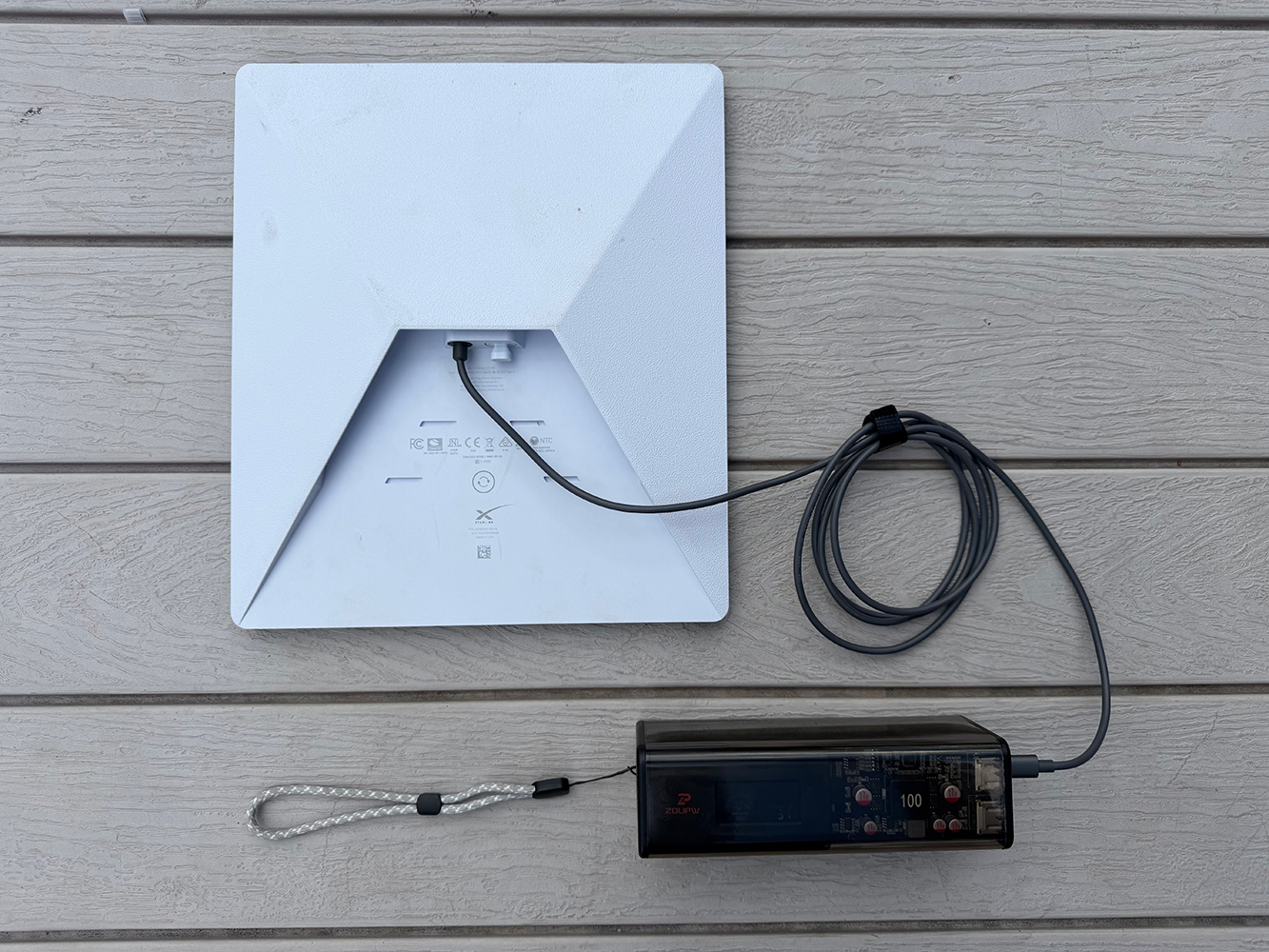
Option 1: Starlink Mini + Zoupw K1S Power Station
The Kit
- Starlink Mini: dish, router, and modem in one flat panel about the size of a laptop
- Zoupw K1S power station: 27,000mAh, rated just under the FAA's 100Wh carry-on line, around $140
- USB-C to DC power cable (optional but worth it): a 100W PD cable with the 5.5 x 2.1mm barrel plug the Mini takes, about $10 on Amazon for the 5.9-foot version
Total spend on the power side: roughly $150. That buys you satellite internet with zero dependence on the grid, the phone network, or anybody's goodwill.
The EcoFlow RAPID Pro X does the DC route from the same spot in the bag: 27,650mAh, 99.5Wh, and a 140W USB-C PD port that covers the 20V/5A profile the Mini wants through the same USB-C to DC cable, with two 65W ports left for the phones. What it gives up is the AC outlet, so the Starlink brick stays home and the DC cable is the only way in. At around $250 it costs more than the K1S; pick it if the same bank also has to charge a laptop at full speed.
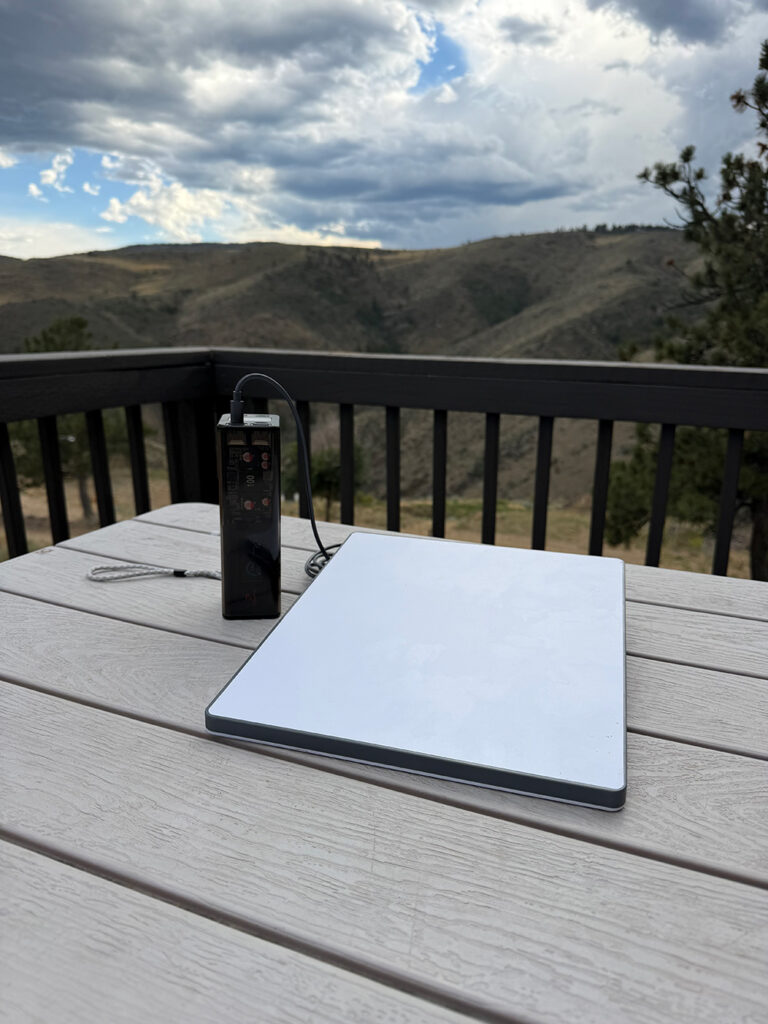
How the Power Station Works
The K1S is a 21700 lithium-ion pack with a battery management system, a screen showing real-time input and output watts, and five ways to push power out:
It recharges from empty in about an hour on a 100W USB-C charger, and that same input takes solar. Any panel with a USB-C PD output, like the folding panels you already carry, refills it in the field. The 150-lumen flashlight built into the end is a nice bonus, not a gimmick.
Two Ways to Power the Mini
Plug the Starlink power brick into the K1S's AC outlet like a wall socket. It works, and it's the zero-extra-parts option. The catch is double conversion: the station inverts DC battery power to AC, then Starlink's brick converts it right back to DC. That round trip burns 15 to 25 percent of the battery as heat.
The DC route (the smart one). The Mini accepts 12 to 48 volts straight through its barrel jack. The USB-C to DC cable pulls 20V directly from the K1S's 140W port into the dish. No inverter, no wasted heat, noticeably more runtime from the same battery. Ten dollars for 20-plus percent more internet is the easiest math in this post.
One note on cables: buy the 100W-rated PD cable, not a cheaper 65W version. The Mini spikes to 40-60W while it boots and hunts for satellites, and undersized cables drop out right when the dish is trying to lock on.
Real Runtime Numbers
The Starlink Mini pulls roughly 20 to 30W in normal use: browsing, messages, weather, maps. Idle sits in the mid-teens. Streaming video pushes it into the 30s. Off a full K1S, that works out to:
Three hours doesn't sound like much until you remember you don't need the dish running all day. In an outage, the play is scheduled comms: power up, pull weather and news, send the messages, check in with family, power down. Run 20-minute sessions a few times a day and this little pack covers two or three days.
The same 27,000mAh also recharges a phone five or six times, tops off GMRS radios over USB, and runs a headlamp for weeks. It's not a single-purpose Starlink battery; it's the power hub for the whole comms bag.
Size and Weight
- 6.9 x 2.7 x 2 inches
- 1.83 pounds
- FAA carry-on legal
That last point matters more than it looks. Most power stations that can run a Starlink are 5 to 20 pounds and stay home. This one can live in the bag that's always packed.
Why This Setup Earns a Spot
Where It Falls Short
- Sub-100Wh is a comms battery, not a base station. It will not run the dish all day, and it won't successfully work very long (if at all) for a fridge or power tools.
- The Mini needs open sky. Heavy canopy or a north-facing canyon wall will fight you.
- Starlink is still a subscription, and a company, and a single point of failure of its own. That's exactly why this post won't stop at one option.
- Cold cuts lithium performance. Below freezing, keep the pack inside a coat pocket until it's time to transmit.
Option 2: Starlink Mini + Star-Batt
Option 1 is the kit you grab when weight rules everything. This is the kit for when you need internet to just stay on: at the cabin, in the truck, at a basecamp, through a multi-day outage. The Star-Batt Mini is a battery box designed around the Starlink Mini specifically, and that single-purpose focus is both its biggest strength and its main limitation.
This is the best option but it comes at a cost.
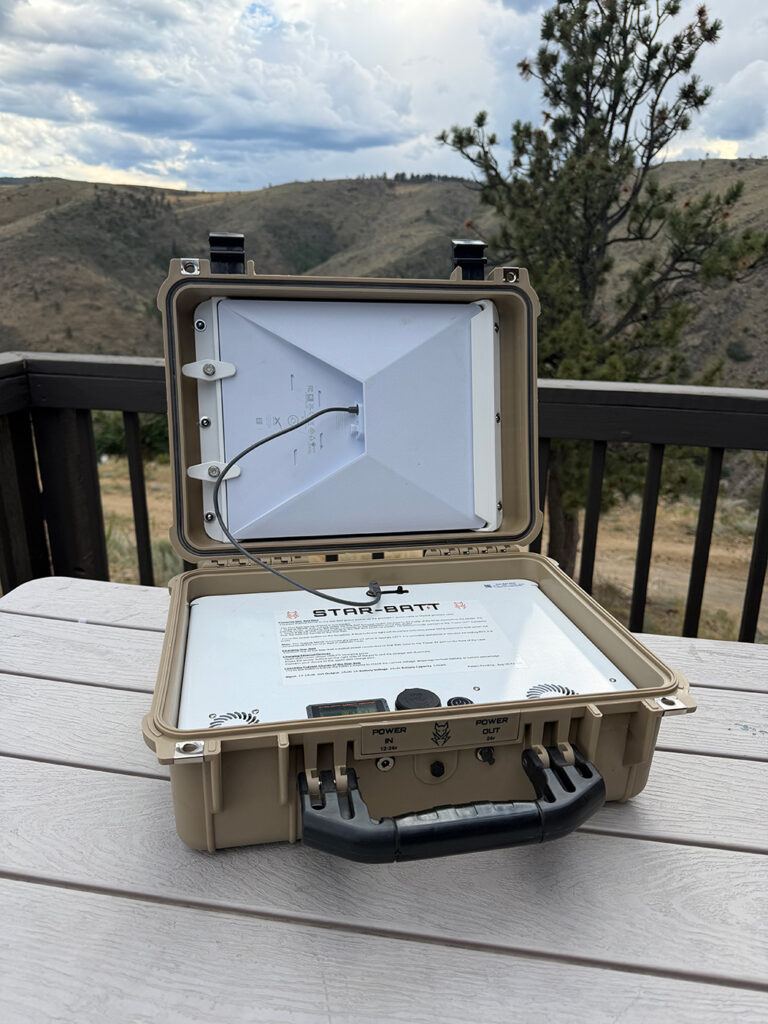
The Kit
- Starlink Mini on the Roam plan, same dish as Option 1
- Star-Batt Mini: 576Wh LiFePO4 battery built into an IP65 hard case with an integrated mount for the dish, $1,099 (code BUCKHORN takes $100 off)
- That's it. The DC cable and mounting are part of the package, so there's nothing else to buy or forget.
How It Works
The Star-Batt takes the direct-DC lesson from Option 1 and builds the whole product around it:
Real Runtime Numbers
Star-Batt rates it at up to 24 hours running the Mini, and the math backs that up: 576Wh feeding a dish that pulls 20 to 30W works out to roughly 18 to 24 hours of continuous internet, with idle stretches pushing past that.
That's the real difference from Option 1. The pocket kit buys you check-ins; this buys you presence: cameras up, calls running, weather radar live all day.
Size and Weight
- 17 x 13 x 7 inches, about the size of a mid-size cooler
- 27 to 29 pounds loaded
- Way past the FAA's 100Wh carry-on line, so this one travels by vehicle, not by plane... though they do offer an upgraded version for that.
This is not bag gear. It's truck, cabin, and basecamp gear.
Related: Stay Connected When It Matters Most: Starlink Roam + Star-Batt
Why This Setup Earns a Spot
Where It Falls Short
Option 3: Go Solar and Take Internet Off the Clock
Everything above runs on a countdown. A battery is stored time, and outages don't respect your schedule. Solar is what turns "how many hours are left" into "I am fine": the sun puts back more than the dish burns, every single day.
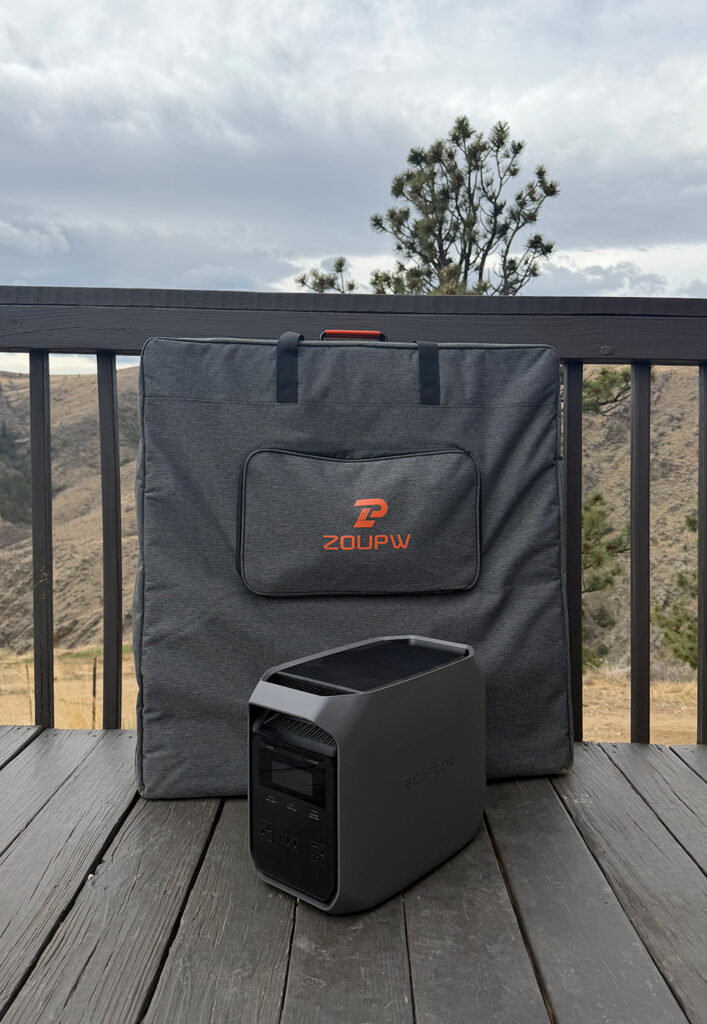
The Kit
- EcoFlow DELTA 3 Classic: 1,024Wh LiFePO4 power station, 1,800W output with 3,600W surge, $449
- Zoupw 400W portable solar panel: N-type monocrystalline cells at 25% efficiency, around $400 (code BUCKHORN8)
- Starlink Mini, same dish as everything else on this list
Under $850 for the power side, and the panel's XT60 connector plugs straight into the DELTA's solar input.
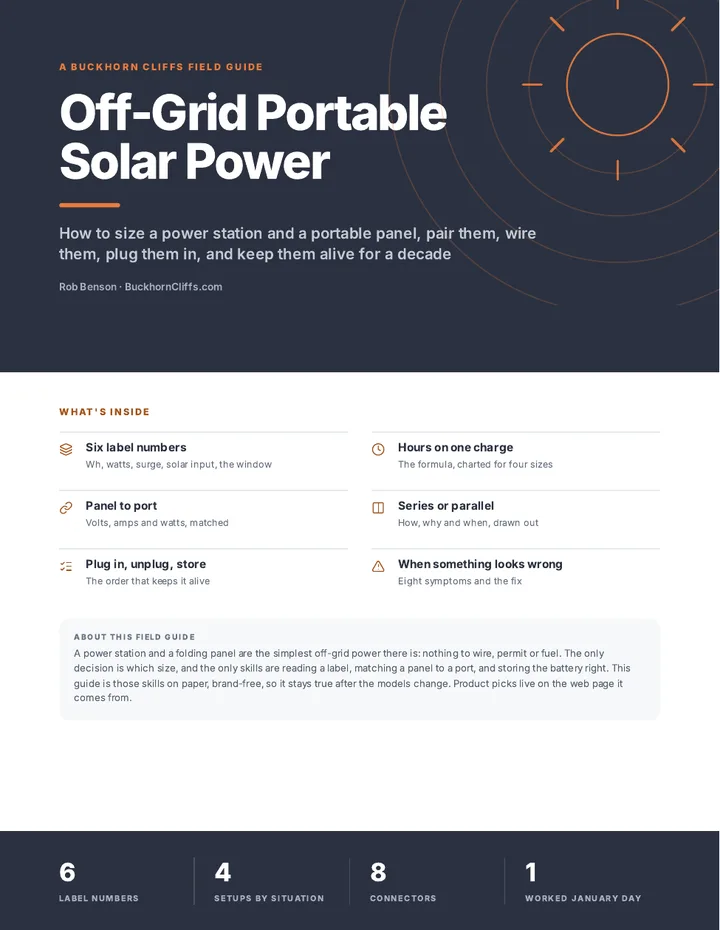
Read next: Off-Grid Portable Solar Power Field Guide
FULL GUIDE: How to Size a Portable Power Station and Panel, and Which to Pick
How It Works
- The DELTA 3 Classic runs the dish all day and still has the muscle for real loads: 1,800W covers a fridge, a CPAP, power tool chargers, the microwave in a pinch
- The 400W panel refills it in roughly 3 to 4 hours of good sun (2.5 hours is the best case at full rated output), and it accepts up to 500W of input if you add panels later
- From the wall, it charges 0 to 80% in 45 minutes, so it's always topped off before the storm hits
- LFP chemistry, rated for over 10 years of use: this is buy-once infrastructure, not a gadget
- 10ms switchover means it works as a UPS
Real Runtime Numbers
Why This Setup Earns a Spot
Where It Falls Short
Option 4: 20v Battery and an Inverter
Here's the one that costs very little if you already have a stack of yellow batteries.
The Kit
- DeWalt 20V battery: the 10Ah is the big 20V pack, and a FlexVolt pack runs at 20V on this inverter too; more capacity means longer runtime. The chart below turns every size into hours.
- DeWalt 20V inverter (DXAEPIP2W): around $70, with a 120V AC outlet, 15W USB-A, and 25W USB-C. It's "2-way": it runs off the tool battery or off a vehicle's 12V socket, which makes the truck itself the backup battery.
- Starlink Mini for the connection
If the batteries are already yours, the whole entry price is one inverter. That's a fraction of a dedicated power station for everything basic off-grid internet requires.
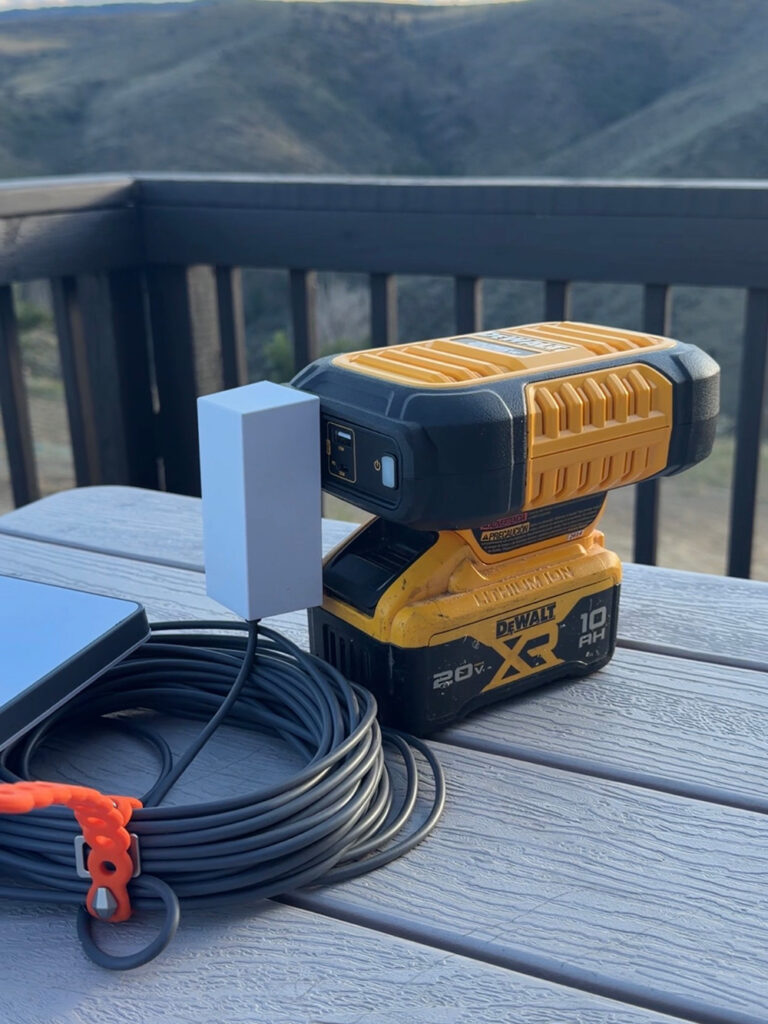
How It Works
Slide the battery onto the inverter, plug the Starlink brick into the AC outlet, point the dish at open sky. The inverter puts out 225W from a 20V pack (140W when running off a 12V vehicle socket), which is more than enough headroom for the Mini's 40-60W startup spike. The AC outlet runs anything with a standard plug: laptops, chargers, small appliances. The USB ports handle phones and tablets at the same time.
Not a DeWalt house? Doesn't matter. Milwaukee, Ryobi, and Harbor Freight all make an inverter like this for their packs. Match the inverter brand to the battery brand you already own and spend the little extra for it: cross-brand adapters are where reliability goes to die.
Real Runtime Numbers
- Continuous standard use: roughly 6 hours per 10Ah battery. The Mini pulls 20 to 40 watts depending on load, far more efficient than the earlier Starlink dishes.
- Intermittent use: checking messages, pulling weather, sending status a few times a day stretches one battery across several days
- Speed: full Starlink performance, same as every option here. Video calls, streaming, downloads, all of it.
And the multiplier is the drawer full of batteries most tool owners already have. Four 5Ah packs you bought for tools use: already a multi-day comms reserve. The charger plus a vehicle, generator, or the Option 3 solar rig keeps them cycling.
What each battery actually runs
A tool battery is small. DeWalt rates the 20 V packs at 18 volts nominal, so watt-hours are 18 times the amp-hours printed on the pack: a 5 Ah pack holds 90 Wh, about the same as a laptop battery. The chart is the whole lineup side by side, FlexVolt packs included, because a 60 V FlexVolt pack drops to 20 V on this inverter by itself and runs it like any other pack.
The table turns each pack into hours. Starlink Mini and the laptop run through the AC outlet at 80 percent of the pack; phones charge from the 25 W USB-C port, so they get 90 percent. A phone charge is counted as 15 Wh, a full charge for most phones. Real loads vary, so read these as planning numbers, not promises.
| Battery | Wh | Starlink Mini 25 W | Laptop 45 W | Phone charges | Router 10 W |
|---|---|---|---|---|---|
| 1.5 Ah compact | 27 | 1 h | 0.5 h | 1.5 | 2 h |
| 2 Ah compact | 36 | 1 h | 0.5 h | 2 | 3 h |
| 3 Ah compact | 54 | 1.5 h | 1 h | 3 | 4.5 h |
| 4 Ah XR | 72 | 2.5 h | 1.5 h | 4.5 | 6 h |
| 5 Ah XR | 90 | 3 h | 1.5 h | 5.5 | 7 h |
| 6 Ah XR | 108 | 3.5 h | 2 h | 6.5 | 8.5 h |
| 8 Ah XR | 144 | 4.5 h | 2.5 h | 8.5 | 12 h |
| 9 Ah FlexVolt | 162 | 5 h | 3 h | 9.5 | 13 h |
| 10 Ah XR | 180 | 6 h | 3 h | 11 | 14 h |
| 12 Ah FlexVolt | 216 | 7 h | 4 h | 13 | 17 h |
| 15 Ah FlexVolt | 270 | 8.5 h | 5 h | 16 | 22 h |
The drawer is the reserve. Four 5 Ah packs are 360 Wh: a full day of the dish in 20-minute sessions, or every phone in the house charged for a week, with the charger cycling them off the truck, the generator or the Option 3 panel.
Why This Setup Earns a Spot
- Cheapest entry on the list: one $70 inverter if the batteries already exist
- Batteries you already rotate and trust: no new ecosystem, no new chargers, no shelf queen that's dead when you need it
- Grab and go: lightweight, tosses in a truck, works at a campsite or during a grid-down event
- The 2-way trick: no charged packs left? The vehicle's 12V socket runs the same inverter.
- Doubles as general power: the same AC outlet that runs the dish runs whatever else has a standard plug
Where It Falls Short
- Inverter losses are baked in: this is the AC route by necessity, battery to inverter to Starlink brick to dish. It works, but some runtime cooks off as heat.
- Tool packs are small: a 10Ah 20V pack holds about 180Wh, a bit under a third of the Star-Batt. This wins on cost, not capacity.
- Buying in from zero changes the math: a new 10Ah battery plus the inverter costs more than Option 1's power station. This option is for people already living in a battery ecosystem.
- Nothing here is weatherproof: the inverter and packs need to stay dry while the dish sits out in the rain
Quick Compare: Where Each Setup Fits
The same Starlink Mini moves between all four. Start with whichever tier matches the batteries and budget already sitting in your garage, then build toward the solar loop.
These posts might also be useful for ya:
Read next: Blackout guide: first 45 minutes, first 3 days, and beyond
The Blackout Survival Guide: What to Do in the First 45 Minutes, First 3 Days, and Beyond
Read next: Off-grid communication options (no cell service required)
The Complete Guide to “Off-Grid” Communication (No Cell Service Required)
Read next: Faraday-protected emergency electronics: the sling bag and the grab-and-go kit
Grab-and-Go Electronics: Faraday-Protected and Emergency Ready
Questions this answers
Tap a question for the short answer.
How do I keep internet during a power outage?
Pair a Starlink Mini with portable power so your connection does not depend on the grid, the cable node, or a cell tower. The smallest kit I've tested runs the Mini off a Zoupw K1S pocket power station, roughly $150 on the power side, used in short scheduled sessions.
Can I run a starlink mini off a power bank?
Yes. The Zoupw K1S, a 27,000mAh power station rated just under 100Wh, runs a Starlink Mini through its AC outlet or, better, through a USB-C to DC cable from its 140W port. The DC route skips the inverter, which otherwise burns 15 to 25 percent of the battery as heat. The EcoFlow RAPID Pro X does the same DC route from its 140W USB-C port; it has no AC outlet, so the cable is the only way to power the dish from it.
How much does starlink standby mode cost?
Standby Mode costs $10 a month, or $120 a year, and still includes unlimited low-speed data at around 0.5 Mbps. That is enough for email, texting, WiFi calling, weather, and family check-ins, and you can bump the plan back up from the app in minutes.
How long will a starlink mini run on a small power station?
Off a full Zoupw K1S, the Mini runs about 3 to 4 hours in normal use over the DC cable, 5 hours or more at light or idle use, and closer to 2.5 to 3 hours through the AC outlet. Run 20-minute sessions a few times a day and the pack covers two or three days.
What cable do I need to power a starlink mini from usb-c?
Use a 100W-rated USB-C PD to DC cable with the 5.5 x 2.1mm barrel plug the Mini takes, about $10 for the 5.9-foot version. Avoid cheaper 65W cables: the Mini spikes to 40 to 60W while it boots and hunts for satellites, and undersized cables drop out.
Which starlink plan is best for emergency preparedness?
Roam is the preparedness plan. Run Roam 100GB at $55 a month for one month to learn the dish, then downgrade to Standby Mode at $10 a month. Roam has no contract, and unlike Residential, pausing it does not risk losing your spot if the local cell fills up.
How long will a dewalt battery run a starlink mini?
Through the DeWalt DXAEPIP2W inverter, about 80 percent of the pack reaches the dish, and the Mini averages around 25 W. That is roughly 3 hours on a 5 Ah pack (90 Wh), 4.5 hours on an 8 Ah, 6 hours on a 10 Ah and 8.5 hours on a 15 Ah FlexVolt, which runs at 20 V on this inverter. Run the dish in 20-minute sessions and one 5 Ah pack covers a day. The full chart for every pack size, with phone, laptop and router numbers, is in Option 4 of the backup internet guide.
What I use for this
Gear from my recommended list
Keep going
Related to this
Membership · $49.95 per year
There is a lot more behind the lock
Every recipe and resource from the Prepper's Chemical Survival Guide, all eleven field guides to read here and download, the full audit and logbook, all twelve reference charts, and no ads.
My Manual · included
Build your own field manual
The most useful thing a membership gives you. Save any page on this site, recipes, charts, and whole field guides included. Arrange them in the order you want, name it, and print one manual with a cover and contents, or keep it as a PDF that opens with no signal.
- It works when this site does not
- Only your pages
- Anyone in the house can use it
- One current copy, not a pile of printouts
- The house binder
- A copy for the bug-out bag or truck
- A copy for family
- An offline PDF
Stay Ready
New entries, updates, and useful instruction.
Stay one step ahead on your preparedness journey.