Quick facts
- T-Satellite textingFree on top-tier T-Mobile plans or $10 a month; messages in 5 to 30 seconds
- Starlink MiniAround $199; Standby Mode $10 a month, about 500 Kbps
- Starlink Mini weightUnder 3 pounds
- Meshtastic devices
- Usually $20 to $75 each
- no license
- no fees
- Meshtastic limitText and GPS only; needs local node density
- GMRS
- Voice
- radio to radio
- no infrastructure
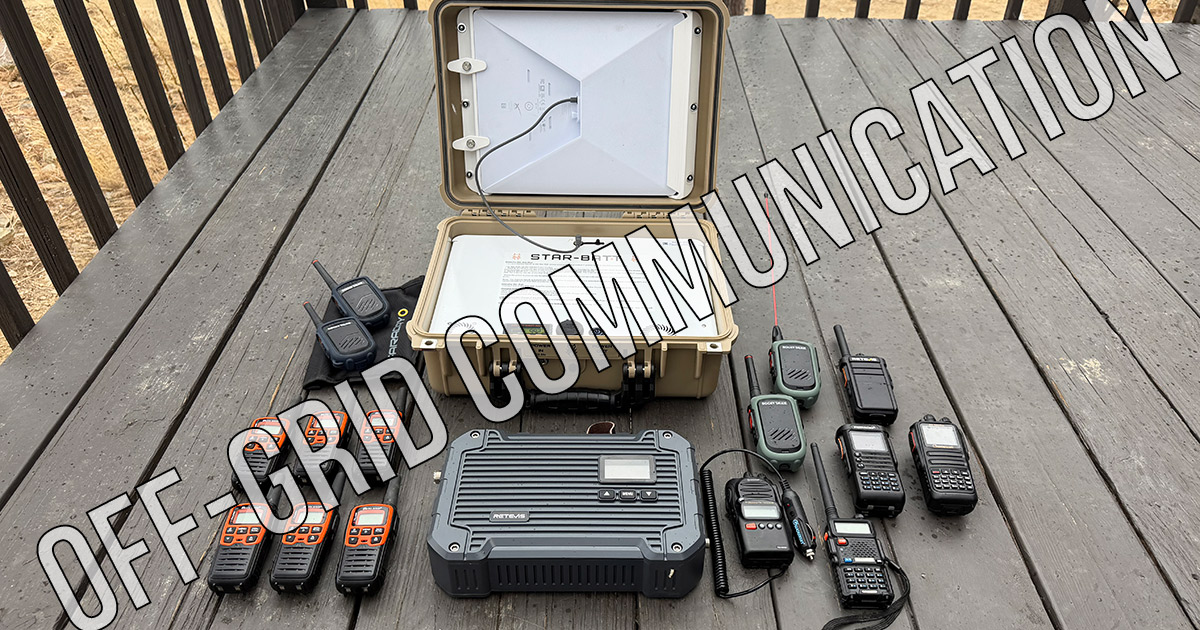
People always want to know what their options actually are for alternative communication. They want to know what works, what costs what, and what they can realistically get their family to use.
So let me break it all down. These are the real options you have for communicating when cell towers go dark, ranked roughly by how easy they are to set up and actually use in a crisis.
Satellite Texting Through Your Cell Phone (T-Mobile T-Satellite)
This is the lowest-friction option available right now, and the one most people should start with because you might already have it.
I switched to T-Mobile a few months ago, and I now have satellite text messaging built into my phone plan. No extra device. No special antenna. No setup. When my phone loses cell service, it automatically connects to SpaceX's Starlink satellite constellation overhead and lets me send and receive text messages. It just works.
I want to be clear: I'm not endorsing T-Mobile as a company. These massive corporations are nearly all terrible. But the technology is real and it works, and that matters more to me than brand loyalty.
Here's what you need to know. T-Satellite uses over 650 Starlink satellites orbiting more than 200 miles above the earth. When your phone drops out of traditional cell range, it switches to satellite automatically. You don't have to hold your phone up to the sky or use a special app. You just text normally. Messages typically go through in 5 to 30 seconds depending on your environment, and it even works inside a tent or a car in many cases.
The service is included free on T-Mobile's top-tier plans, or you can add it to any T-Mobile plan for $10 a month. They've even opened up a free Text to 911 via satellite option for anyone, including Verizon and AT&T customers, with a compatible phone.
The catch? You need a compatible phone (most smartphones from the last few years qualify), and you need to be outdoors or at least have a reasonable view of the sky. It's text messaging only for most devices right now, though picture messaging and limited data are rolling out on newer phones. X works too... maybe other apps? But there is one notable weakness: if you have one weak bar of cell service, your phone might cling to that useless signal instead of switching to satellite. T-Mobile says they're pushing phone manufacturers to add a manual override, but it's not there yet.
Bottom line
If you're on T-Mobile or willing to switch, this is the easiest emergency communication tool you can have. You already carry the device. There's nothing to charge, nothing to remember to pack, and nothing to explain to your family.
Starlink Mini on Standby Mode (The $10/Month Internet Lifeline)
This is my personal favorite and what I think might be the best preparedness communication hack available right now.
You can buy a Starlink Mini (around $199 as of mid 2026, down from $599 at launch), and instead of paying for a full-speed roaming plan, put it on Standby Mode for $10 a month. Standby gives you a persistent low-speed internet connection, about 500 Kbps (roughly 2G speeds), with unlimited data.
That doesn't sound like much, but think about what 500 Kbps actually gets you. Text messages. Emails. Weather updates. Navigation with basic maps. Light web browsing. Signal messaging. Essentially, all the communication tools you'd need in an emergency work just fine at that speed. You're not streaming video, but you don't need to.
The Starlink Mini weighs under 3 pounds, fits in a backpack, and just needs a clear view of the sky and a power source. Pair it with a portable battery (or solar panel) and you have internet anywhere on the planet. I've tested this in the backcountry and the speeds are real. Even on standby, latency stays low (20 to 30 milliseconds), which means messaging apps feel responsive and usable.
My favorite:
GET STARLINK MINI: use THIS LINK and receive one month of free service 30 days after activation
Use code: BUCKHORN (for savings) here (for the Star-Batt case)
When you actually need full speed, you can upgrade your plan instantly through the Starlink app. Go from $10 standby to a full roaming plan with a few taps, and you're back to high-speed satellite internet. When the situation passes, drop back down to standby.
Here's why this matters for preparedness specifically. Cell towers need power from the grid. When the grid fails, towers go down within hours once their backup generators run dry. Starlink doesn't care about any of that. The satellites are in orbit. Your dish talks directly to them. As long as you can power your Mini, you have internet. Period.
Bottom line
For $10 a month and a one-time hardware purchase, you get an always-ready internet connection that works anywhere with a view of the sky. Pair it with your phone and you have full communication capability, including texting, email, maps, weather, and emergency coordination. For long range, nothing else an ordinary person can buy comes close.
Meshtastic (Text Messaging with No Cell, No WiFi, No Fees)
Meshtastic is cool technology, and if you live in a neighborhood, urban area, or tight-knit community, it's worth a serious look.
Here's the concept. Meshtastic is an open-source project that turns inexpensive LoRa radio devices (usually $20 to $75 each) into a mesh text messaging network. You pair the little radio to your phone via Bluetooth, type a message in the Meshtastic app, and it broadcasts over long-range radio waves. If your recipient is out of direct range, other Meshtastic devices in between will automatically relay your message, hopping from node to node until it arrives.
No cell towers. No internet. No monthly fees. No license required (it operates on ISM bands that are open to everyone). The devices are small, battery-powered, and can run for days or even weeks on a single charge.
The range between two nodes with clear line of sight can be impressive, often several miles. In a mesh with multiple nodes spread across a neighborhood or town, messages can travel much further as they hop between devices. Some communities have built networks covering entire metro areas.
There is one major limitation though, and I want to be honest about it: Meshtastic only works well when you have enough people in your area participating. This is a mesh network. The more nodes in your local area, the better coverage and reliability you get. If you buy two devices and give one to a friend across town, you might be able to reach each other directly if there's decent line of sight. But the real power of Meshtastic comes from density, from having dozens or hundreds of nodes blanketing an area so that messages can find a path.
That means Meshtastic requires community buy-in. You need to convince your neighbors, your prepper group, your hiking club, or your neighborhood association to get on board. In a city or dense suburb, this is very doable. In a rural area with spread-out properties? Much harder. The technology also has scaling challenges. Networks with more than 50 or so active nodes can start to experience congestion since every node rebroadcasts every message it hears.
It's also text only. Short messages and GPS location sharing. No voice. No images (at least nothing practical). And the setup, while not terribly complicated, does involve flashing firmware and configuring settings, which is a higher bar than just buying a radio and turning it on.
Bottom line
Meshtastic is an incredible tool for community-level communication with zero ongoing costs. But it requires local adoption to be truly useful. If you can get your neighborhood or group on board, it's one of the most resilient communication systems you can build. If you can't, it's a neat gadget that sits in a drawer.
GMRS Radio (Voice Communication, No Infrastructure Needed)
GMRS (General Mobile Radio Service) is the backbone of my personal communication plan, and it's what I recommend most often for families and small groups who want reliable voice communication without depending on anything.
How to Communicate with NO Cell Service or Internet (GMRS Recommendations)
Two GMRS radios on the same channel can talk to each other directly. No towers, no internet, no middleman. You press a button, you talk, the other person hears you instantly. That simplicity is incredibly powerful when everything else is down.
Handheld GMRS radios typically run 1 to 5 watts and can reach a mile or two under normal conditions, sometimes more with good line of sight. Mobile units (mounted in a vehicle) can push up to 50 watts and extend that range significantly. The radios operate on UHF frequencies in the 462 to 467 MHz bands, and they're designed to be simple enough that anyone can use them.
What makes GMRS even more powerful is adding a repeater. A repeater is a relay station that receives your radio signal and rebroadcasts it at higher power from a better vantage point. With a repeater positioned on a hill or rooftop, your little 5-watt handheld can suddenly communicate 10, 15, or even 20+ miles. There are over 1,700 public GMRS repeaters across the U.S. right now, and you can look them up and use them for free with your license.
Why You Need a GMRS Repeater for Emergency Communication (Retevis RT97L Review)
But I'm a bigger fan of owning your own repeater. Public repeaters can go offline. They can get overloaded during emergencies. You don't control them. With your own repeater (the Retevis RT97L is the one I use and reviewed), you control the coverage area, the power source, the channel, and who has access. You can run it off solar or a car battery. It becomes part of your communication infrastructure, not someone else's.
GMRS does require an FCC license, but it's simple, just a $35 fee, no exam, and it covers your entire immediate family for 10 years. if society is truly unraveling and you need to communicate with your family, nobody is checking licenses. But get it anyway, it's the "right thing" to do and it costs almost nothing.
My top radio pick is the Rocky Talkie. Waterproof, shatterproof, 4 to 6 days of battery life, repeater-compatible, and dead simple to use. Hand one to your spouse, your kids, your neighbors. No training required beyond "push this button and talk."
Bottom line
GMRS gives you instant, reliable voice communication with zero dependence on any infrastructure. Add a repeater and you've got serious range. It's the most practical "grid-down" voice communication option for regular people.
Ham Radio (Incredible Power, But It Has to Become a Hobby)
I have to include ham radio on this list because it is, without question, the most capable communication system available to civilians. Ham operators can talk across town, across the country, and literally around the world using nothing but a radio, an antenna, and their own skill.
Ham radio spans a massive range of frequencies and modes. You can do voice, digital text, send images, relay emails, even access internet gateways through the radio network. In every major disaster over the last century, ham radio operators have been among the first to establish communication when everything else failed. The capability is real and it's unmatched.
But I'll be straight with you: I'm not your guy for ham radio advice because I don't use it. And the reason I don't use it gets to the core limitation for most people.
Ham radio, to do it right, has to become a hobby. Not a casual interest. A hobby. You need to study for and pass a licensing exam (multiple levels for more privileges). You need to learn about frequencies, propagation, antenna design, and operating procedures. You need equipment that can range from a couple hundred dollars to thousands. And most importantly, the people you want to communicate with also need to do all of that.
Getting your spouse, your parents, your adult kids, or your neighbors to all get ham licenses, buy equipment, learn how to use it, and practice regularly? That's a massive ask. For most families, it's simply not going to happen.
If you're the kind of person who enjoys tinkering with radios and learning about RF propagation, ham radio is amazing and I encourage you to pursue it. The community is passionate and helpful. But if you're looking for something you can hand to your family member and say "use this if things go sideways," ham radio is not it.
Bottom line
Ham radio is the most powerful civilian communication tool in existence. But it requires significant time, study, and commitment from everyone involved. For most people, it's not a practical preparedness solution. It's a lifestyle.
Cell Signal Boosters (Squeezing Every Last Bar)
This isn't a standalone communication method, but it's worth mentioning because it can keep your existing cell phone working in situations where it otherwise wouldn't.
A cell signal booster like the weBoost Cabin takes whatever faint cell signal exists in your area, amplifies it, and rebroadcasts it inside your home or vehicle. I installed one at my place and the difference in raw signal numbers was dramatic. It won't create signal where absolutely none exists, but if there's even a trace of signal outside, a booster can turn "unusable" into "functional."
Bringing the Outside In: Why the weBoost Cabin Belongs in Your Off‑Grid Setup
This matters for preparedness because in many partial-grid-down scenarios, cell towers don't all go offline at once. You might have a tower 15 miles away that's still running on backup power, putting out a signal so weak your phone can't grab it. A booster bridges that gap.
Think of it as a redundancy layer. One is none, two is one. Your primary plan might be Starlink or GMRS, but having a signal booster as a backup means you're squeezing every possible option out of the infrastructure that does exist.
Boosting Your Lifeline: The weBoost Drive Reach Overland in Real-World Preparedness
Bottom line
A signal booster won't save you in a total grid-down scenario, but it extends the usefulness of your cell phone in partial outages, remote locations, and degraded conditions. It's a solid addition to a layered communication plan.
Apple and Google Built-In Satellite SOS
If you're not on T-Mobile and don't plan to switch, you might still have satellite capability built into your phone and not even know it.
iPhones 14 and newer have Emergency SOS via Satellite through Apple's partnership with Globalstar. Newer Google Pixel phones (9 and 10 series) have a similar feature through Skylo. Both are free for the first two years after the phone is activated, and neither company has started charging yet.
Here's the difference between these and T-Mobile's service: Apple and Google's satellite features are designed primarily for emergencies. You can send an SOS to emergency services, share your location with contacts, and on iPhones running iOS 18, send and receive basic iMessages and SMS via satellite. But it's more limited than T-Mobile's general-purpose texting. Apple's system also requires you to point your phone at the satellite and follow on-screen prompts, whereas T-Mobile's connects automatically in the background.
That said, free is free. If you have a recent iPhone or Pixel, you already have a satellite lifeline in your pocket for true emergencies without paying anyone a dime. It's not a full communication solution, but it could save your life if you need to reach 911 from the middle of nowhere.
Bottom line
Check what phone you have. If it's an iPhone 14+ or a recent Pixel, you already have emergency satellite communication at no cost. It's not a replacement for the other tools on this list, but it's a baseline layer of safety that's already in your pocket.
Dedicated Satellite Messengers (Garmin inReach and Similar)
Before T-Mobile started beaming texts from space, dedicated satellite messengers were the only way to communicate from truly remote locations. The Garmin inReach line has been the gold standard for years, and devices like the inReach Mini and the inReach Messenger are still widely used by hikers, hunters, overlanders, and anyone who spends serious time off-grid.
These devices connect to the Iridium satellite network, which has global coverage including the poles. You can send and receive two-way text messages, share your GPS location with contacts in real time, and most importantly, trigger an SOS that connects you directly to a 24/7 professional rescue coordination center (Garmin Response). That SOS button is the killer feature. It doesn't just send a text to 911 and hope someone reads it. It opens a two-way conversation with trained search and rescue coordinators who will dispatch help to your exact GPS coordinates.
The hardware typically runs $250 to $400, and Iridium subscription plans range from about $15 to $65 a month depending on how many messages you need. You can activate and deactivate plans seasonally if you only need coverage during certain months.
The inReach requires carrying a separate device, pairing it with your phone via Bluetooth, and paying a separate subscription. For most people in most scenarios, the phone-based satellite options have overtaken dedicated messengers in terms of practicality.
That said, the inReach still has real advantages. The Iridium network is more mature and has truly global coverage. The dedicated SOS with professional rescue coordination is more dependable than texting 911. The device has its own GPS and battery, so it works even if your phone dies. And it doesn't depend on any cell carrier's infrastructure or business decisions.
If you spend a lot of time deep in the backcountry, do solo trips, or operate in remote areas, a dedicated satellite messenger is still worth considering as a complement to your phone-based options. It's purpose-built for exactly this situation in a way that a smartphone feature never quite will be.
Bottom line
Dedicated satellite messengers like the Garmin inReach were the original off-grid communication tool and they still do the job well, especially the SOS feature. But for most people, phone-based satellite texting has made them less essential than they used to be. If you're a serious backcountry user, it's still a strong addition to the kit.
FRS Walkie Talkies (The Starter Option)
You've seen these. The blister-pack walkie talkies at Walmart, Costco, and every outdoor retailer. Brands like Motorola Talkabout and Midland make them, and they're usually sold in pairs for $30 to $60.
FRS (Family Radio Service) radios require no license at all. You buy them, charge them, turn them on, pick a channel, and talk. They share many of the same frequencies as GMRS but are limited to 2 watts of power and come with fixed, non-removable antennas. That means shorter range, typically under a mile in real-world conditions with buildings and terrain in the way, though you might get further in open flat areas.
Understanding the Key Differences Between GMRS and FRS Radios
For what they are, they work. They're great for keeping track of kids at a campsite, coordinating with your group at a theme park, or communicating across a job site. And they're cheap enough that you can buy a set and toss them in your emergency kit without thinking about it.
But be real about the limitations. Two watts with a stubby fixed antenna is not going to get you very far when it matters. You can't use a repeater with FRS. You can't upgrade the antenna. The range claims on the packaging ("up to 25 miles!") are marketing fiction. In an actual emergency scenario where you need to reach someone more than a few blocks away, FRS radios will leave you frustrated.
Think of FRS as training wheels. If you've never used two-way radios before, a cheap FRS set is a fine way to get familiar with the concept before stepping up to GMRS. But if you're building a real communication plan, GMRS is where you want to be.
Bottom line
FRS radios are cheap, license-free, and dead simple. They're a fine entry point and a reasonable thing to keep in your emergency supplies. But the range limitations are real, and for serious preparedness, GMRS is the better investment.
CB Radio (The Old Standby)
CB (Citizens Band) radio has been around since the 1940s and had its heyday in the 1970s when truckers made it a cultural icon. It's still out there, still works, and still requires no license.
CB operates on 40 channels in the 27 MHz HF band, with a legal power limit of 4 watts for AM and 12 watts for SSB (single sideband). The range is typically 3 to 5 miles for mobile units, though atmospheric conditions can occasionally bounce signals much further. Truckers still monitor Channel 19 on highways, and some rural communities keep CB as a backup communication tool.
The equipment is inexpensive. A basic mobile CB radio runs $30 to $100, and antennas are widely available. Installation in a vehicle is simple. No license, no fees, no registration.
However, GMRS does everything CB does, but better. GMRS operates on UHF frequencies that penetrate buildings and terrain more effectively. GMRS handhelds are more portable. GMRS supports repeaters for extended range. And GMRS channels are far less crowded and noisy than CB, which can be a mess of interference.
CB still has a niche. If you drive long-haul routes and want to hear what truckers are saying about road conditions, accidents, and speed traps, CB is unmatched. If you already have CB equipment from years ago, there's no reason to throw it away. And in certain rural areas, CB networks still exist among farmers and ranchers.
But if you're starting from scratch and deciding where to put your money, GMRS is the better choice in almost every scenario.
Bottom line
CB radio still works and it's license-free, but it's largely been surpassed by GMRS for preparedness purposes. If you already have one, keep it as another layer. If you don't, put that money toward GMRS instead.
Putting It All Together
The best communication plan isn't picking one of these. It's layering them.
My approach: T-Mobile satellite texting is always on because I always have my phone. Starlink Mini on standby is my internet lifeline if the grid goes down. GMRS radios with a repeater give my family and neighbors voice communication with no dependencies. And a cell signal booster squeezes out whatever cell infrastructure is still functioning.
You don't need all of this on day one. Start with whatever fits your budget and situation. If you're on T-Mobile, you might already have satellite texting and not know it. If you want one purchase that covers the most ground, a Starlink Mini on standby is hard to beat. If you want the most bulletproof voice communication for your family, grab a pair of GMRS radios.
The point is: your phone, by itself, is not a communication plan. It's a device that depends on infrastructure you don't control. Build something that doesn't.
Questions this answers
Tap a question for the short answer.
How do I communicate when cell towers are down?
Your options, ranked roughly by ease of use: satellite texting through your phone with T-Mobile T-Satellite, a Starlink Mini on Standby Mode, Meshtastic mesh text radios, GMRS radio, ham radio, cell signal boosters, built-in Apple and Google satellite SOS, dedicated satellite messengers, FRS walkie talkies, and CB radio.
What is the best off-grid communication option?
My personal favorite is a Starlink Mini on Standby Mode, arguably the best long-range option for everyday people. The easiest place to start is T-Mobile satellite texting, since you already carry the phone. For voice with no infrastructure, GMRS is the backbone of my own plan.
How much does starlink mini standby mode cost?
Standby Mode costs $10 a month and gives you about 500 Kbps, roughly 2G speed, with unlimited data. The Starlink Mini hardware runs around $199 as of mid 2026, and you can upgrade to a full roaming plan instantly in the Starlink app when you need full speed.
What is meshtastic and do I need a license?
Meshtastic is an open-source project that turns inexpensive LoRa radios, usually $20 to $75 each, into a mesh text network paired to your phone by Bluetooth, with messages hopping from node to node. No license is required because it runs on open ISM bands, and there are no monthly fees.
Can I text by satellite from my cell phone?
Yes, with T-Mobile T-Satellite. When your phone loses cell service it connects automatically to Starlink satellites and you text normally, with messages usually going through in 5 to 30 seconds. It's free on top-tier T-Mobile plans or $10 a month, and needs a compatible phone and a view of the sky.
How do I get internet during a grid failure?
A Starlink Mini talks directly to satellites, so it keeps working when cell towers lose power, as long as you can run it from a portable battery or solar panel. On $10 a month Standby Mode you get about 500 Kbps, enough for texts, email, weather, basic maps, and messaging apps.
What I use for this
Gear from my recommended list
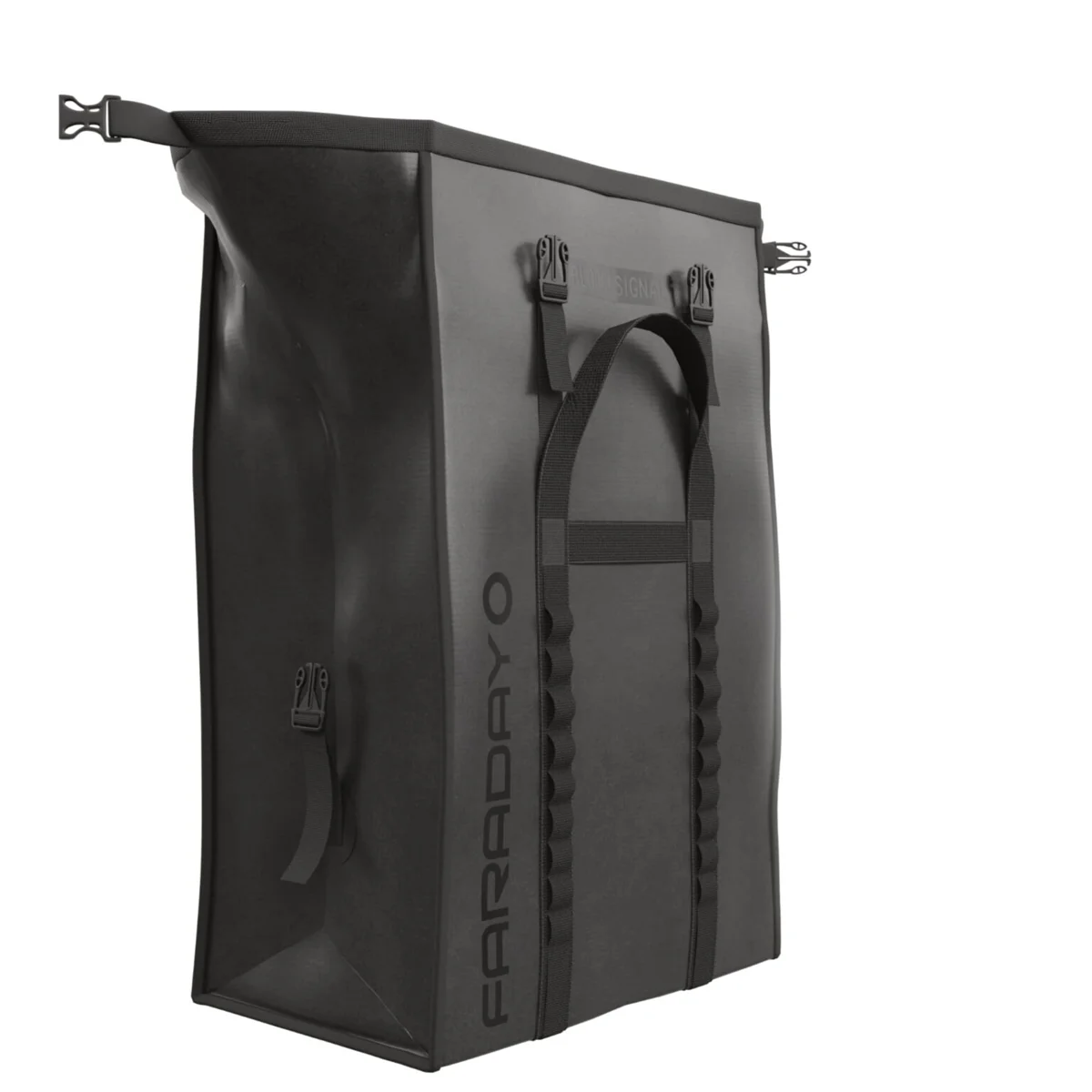 Faraday DefenseFaraday Defense Small Generator Dry BagShielded, watertight, sized for a power station or a Starlink kit$349.99About, at shop.faradaydefense.com, checked 17 days ago
Keep going
Related to this
Membership · $49.95 per year
There is a lot more behind the lock
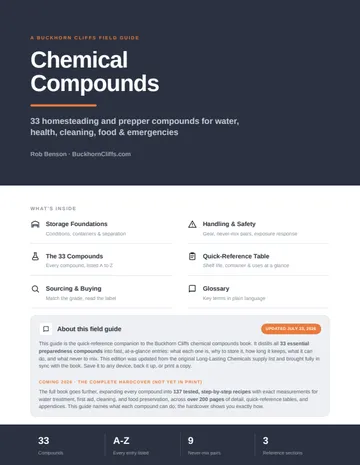
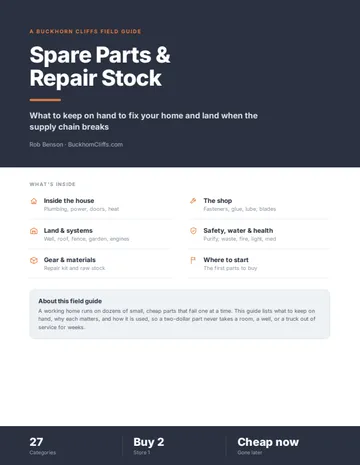
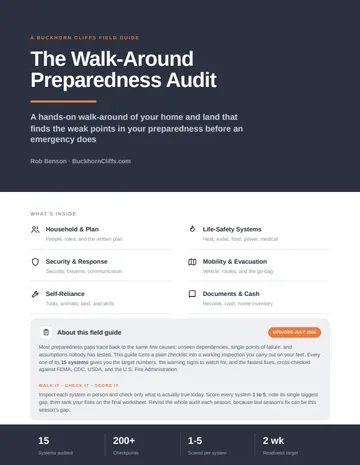
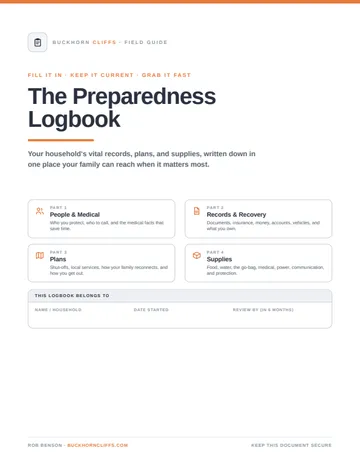
Every recipe and resource from the Prepper's Chemical Survival Guide, all eleven field guides to read here and download, the full audit and logbook, all twelve reference charts, and no ads.
My Manual · included
Build your own field manual
The most useful thing a membership gives you. Save any page on this site, recipes, charts, and whole field guides included. Arrange them in the order you want, name it, and print one manual with a cover and contents, or keep it as a PDF that opens with no signal.
- It works when this site does not
- Only your pages
- Anyone in the house can use it
- One current copy, not a pile of printouts
- The house binder
- A copy for the bug-out bag or truck
- A copy for family
- An offline PDF
Stay Ready
New entries, updates, and useful instruction.
Stay one step ahead on your preparedness journey.