Works without power
Quick facts
- NOAA frequencies162.400 to 162.550 MHz, seven channels
- Reachabout 40 miles per transmitter, line of sight
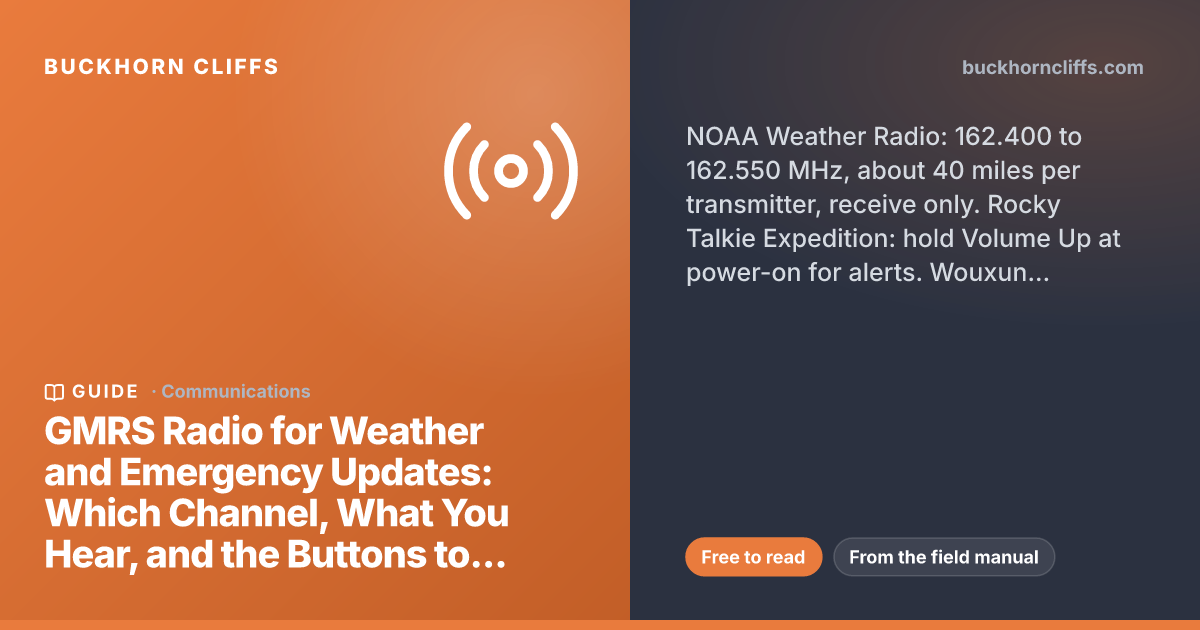
- Rocky Talkie Expedition alertshold Volume Up while powering on; cloud icon
- Wouxun KG-935G Plus alertsMenu 07 WX-ALERT ON; Menu 23 picks the notice
- No weather channelsMountain Radio, KG-805G
- Emergency callsany GMRS channel, 47 CFR 95.1731
Rocky Talkie Expedition · weather updates
Hear the weather broadcast
Five steps, from the radio's manual and support page; the holds are about two seconds.
Hold the red power button for two seconds. Two beeps and the battery percentage mean it is awake.
On the screen: battery percentage, then your channelIf the lock icon is showing, hold the channel flipper forward for two seconds until it disappears. Locked, the radio still talks and changes volume, but it will not change channels or enter weather mode.
On the screen: the lock icon gonePress and hold the Volume Up (+) button, about two seconds. The flashing cloud means weather mode.
On the screen: a flashing cloudThe radio scans the weather channels and stops on one it can hear. Flip the channel flipper to the frequency on your tape if it stopped on a different one: 1 = 162.550, 2 = 162.400, 3 = 162.475, 4 = 162.425, 5 = 162.450, 6 = 162.500, 7 = 162.525.
On the screen: the forecast loop, around the clockPush-to-talk drops you straight back to the GMRS channel you were on. Nothing you own transmits on a weather channel.
On the screen: your channel againGet alerts in real time
Alert monitoring runs in the background while you use the family channel. It is set at power-on, not from a menu, and it uses about a quarter more battery while it is on.
Hold the power button two seconds if it is on.
On the screen: blank screenPress and hold Volume Up (+) and, with it held, hold the power button for two seconds. The cloud icon on the screen means monitoring is on.
On the screen: the cloud iconGo back to the family channel and use the radio normally. If an alert comes in, the radio switches itself to the weather channel it heard it on and you hear the message; press PTT when it is over to return.
On the screen: the cloud stays on the screenPower off, then hold Volume Up while powering on again. The cloud disappears. After any power-off, check that the cloud is still there before you trust it.
On the screen: no cloud, no monitoringBefore any of it: look up the transmitter for your county at weather.gov/nwr/station_search and tape the frequency to the radio. The Mountain Radio has no weather channels; the Wouxun KG-935G Plus has them, and its menu steps are further down.
The companion to this page, and the two-page card members print, is the 3-3-3 radio plan and the SHTF frequency chart: when to turn the radio on, which channel, the frequencies every service uses, and the emergency side in short.
A GMRS handheld does two things when the cell towers are dark: it talks to the people on your channel, and the better ones listen to NOAA Weather Radio, the government's 24-hour broadcast of warnings, forecasts and non-weather emergencies that reaches about 40 miles from each transmitter. This page is the setup, radio by radio: which frequency covers your county, which button turns weather mode and weather alerts on, what the alert tone means, and where the human updates come from on the GMRS channels when the broadcast is not enough. The figures are linked to their sources: the NWS, the FCC rules, the radios' manuals, and the towns and groups that run the nets.
What it can hearYour transmitterRocky TalkieWouxunRadios without NOAAWhat you will hearUpdates from peopleSet it up now
Part of the GMRS pages
The main GMRS page has the whole planWhy GMRS, the range you can expect, repeaters, the ten-minute license, the radios I use, and the plan you agree on before you need it, with every GMRS page linked from the top.What a GMRS radio can hear
Three sources of information reach a GMRS radio, and only one of them is a broadcast. Know which is which before the day you need them.
- Seven VHF frequencies, 162.400 to 162.550 MHz, from more than 1,000 transmitters covering all 50 states (NWS)
- Warnings, watches and forecasts around the clock, plus non-weather messages: AMBER alerts, chemical releases, oil spills, 911 outages, earthquakes, avalanches
- About 40 miles from the transmitter on level ground; terrain cuts it
- Your radio only listens here; nothing you own transmits on these frequencies
- 22 channels shared by FRS and GMRS; 8 to 14 are half a watt on any radio (FCC)
- A repeater on a hill turns a handheld's few miles into a county, and that is where organized local updates run
- Nobody is guaranteed to be listening on any channel; a net is something you set up before, not during
- No 911, and no way to reach a dispatcher: the emergency rule below lets you ask for help on any channel, but someone has to be listening
- No AM or FM on most GMRS handhelds, so the county's own broadcasts and the AM/FM side of the Emergency Alert System are not here unless the radio has an FM receiver (both Wouxuns do; the Rocky Talkies do not)
- A hand-crank AM/FM/NOAA receiver on the shelf is the backup that needs no charge and no license
The rule that matters when it counts
Any GMRS channel may be used for emergency communications or traveler assistance, and every GMRS operator must give priority to emergency traffic on every channel. That is 47 CFR 95.1731, in the FCC rules. It also permits one-way calls for help and warnings to travelers about hazardous road conditions. The license is $35 for ten years, covers your immediate family, and my license page walks through the form.
Find your NOAA transmitter
Every weather channel number on a radio is just a label for one of the seven frequencies, and the labels differ by brand: Rocky Talkie's channel 1 is 162.550 and Wouxun's channel 1 is 162.400. Go by the frequency, and get the frequency from the NWS, not from a guess.
- 1Look up your transmitterThe NWS station search at weather.gov/nwr/station_search takes a town or zip code, the county listing shows every transmitter serving your county, and the coverage maps show what the terrain does to the signal. Write down the call sign and the frequency.
- 2Write it on the radioA strip of tape on the back with the frequency and the channel number your brand gives it. The day you need it is not the day to search a menu.
- 3Pick the one with the alerts for your countyMost transmitters cover several counties. Where two come in, the NWS county listing says which one carries your county's SAME alerts; the clearer station is not always that one (NWS).
- 4Test it where you will use itReception is line of sight at 162 MHz. Try the kitchen, the basement and the truck, and note where it drops out. Up here the ridge between the house and the transmitter decides it, not the distance.
Rocky Talkie Expedition, step by step
The Expedition Radio (sold as the 5 Watt Radio until late 2025) receives eleven weather channels and monitors for alerts in the background. The Mountain Radio does not; it is covered below. Button presses are from the Rocky Talkie manual and support page.

The radio in my overnight pack
Rocky Talkie Expedition Radio, 5 W GMRS
Five watts, the repeater channels, IP67, four to six days on a charge, and NOAA weather with alert monitoring. The one I keep clipped to the outside of the pack.
- 11 weather channels, 7 US and 4 Canadian
- Weather alert monitoring runs in the background while you use the GMRS channels
- Dual-channel monitoring holds the family channel and a repeater at once
- Talks to the Mountain Radio and any FRS or GMRS radio on the shared channels
What the alert is, and is not
The manual says the radio detects an alert on the weather channel and switches to it; it says nothing about county codes, so expect it to sound for every alert the transmitter sends, including the county next door. That is the right side to err on when the phone is dead: loud and sometimes irrelevant beats silent.
Wouxun KG-935G Plus, step by step
The KG-935G Plus is the bigger GMRS handheld on my list: a color screen, scanning, an FM broadcast receiver for the news, and seven NOAA channels with five ways to be told about an alert. Menu numbers are from the KG-935G Plus manual.

The step up
Wouxun KG-935G Plus GMRS Radio
Up to 5.5 watts, every repeater feature, scanning, FM broadcast, and NOAA weather with alerts monitored in standby. The one to hand the person in the family who likes menus.
- 7 NOAA weather channels, numbered 1 to 7 from 162.400 up to 162.550
- Weather alert monitoring in standby, with five ways to be notified
- Five alert notifications: switch to weather, icon, tone, flash, or tone and flash
- FM broadcast receiver: the county's own broadcasts on local FM, which the Rocky Talkies cannot hear
Listen to the weather broadcast
- 1Turn it on and unlock the keypadThe volume knob clockwise turns it on. If a key icon shows at the top of the screen the keypad is locked: hold the # LOCK key for two seconds until the icon disappears.
- 2Hold AREA for two secondsThe radio drops into weather mode on Area A: a 162 MHz frequency with a rain-cloud icon above it. A side key can be assigned the same job through menus 34 to 37, and weather mode works on Area A only.
- 3Pick your stationThe channel knob or the up and down arrows step through the seven channels: 1 = 162.400, 2 = 162.425, 3 = 162.450, 4 = 162.475, 5 = 162.500, 6 = 162.525, 7 = 162.550. Land on the frequency from your tape; the radio remembers it.
- 4Hold AREA again to leaveTwo seconds, and you are back on the GMRS channel you came from. The menu is not available while weather mode is on.
Turn on weather alerts
- 1Set the weather channel firstThe alert check listens to whichever weather channel you last selected, so enter weather mode, land on your transmitter, and leave it there before you turn alerts on.
- 2Menu, then 07, then MENUPress MENU, type 07 on the keypad (or scroll with the arrows), and press MENU to open WX-ALERT. It ships OFF.
- 3Arrow to ON, MENU to confirm, EXITUp or down to ON, MENU to save, EXIT to leave the menu. Once you are in the menu, the 7 key jumps straight to this item.
- 4Menu 23, WX-NOTIFY: how you want to be toldMENU, 23, MENU. WEATHER is the default and switches the radio straight to the broadcast; ICON-ONLY shows the alert icon and stays on your channel; TONE beeps every 60 seconds; FLASH pulses the flashlight five times every 60 seconds; TONE+FLSH does both. Any key acknowledges the quiet options; for WEATHER, hold AREA two seconds to come back.
- 5Leave it in standby on the family channelWith WX-ALERT on, the radio watches the selected weather channel for the 1050 Hz alert tone while it sits in standby. When it fires, hear the whole message, then relay it on the family channel.
- 6Add FM for the countyAs shipped, a short press of PF1 opens the FM broadcast receiver (the key can be reassigned in menu 34). Local stations carry what NOAA does not: the county's own briefings, shelter addresses, boil-water notices, and the AM/FM side of the Emergency Alert System.
The radios without NOAA
Two radios I recommend do not receive weather at all, and that is not a reason to skip them. It is a reason to know which radio in the house is the one that listens.

The family radio
Rocky Talkie Mountain Radio, 2 W FRS
License-free, two watts, IP56 with three to five days on a charge, and the controls a ten-year-old runs in a minute: channel up, channel down, push to talk. No weather channels.
- 128 channels and 121 privacy codes, no license, no paperwork
- Talks to the Expedition and any FRS or GMRS radio on the shared channels
- The radio for every kid and neighbor on the family channel
- For weather, it listens to whoever in the family has the Expedition
What you will hear
The broadcast is a loop: the current conditions, the forecast, any watches and warnings in effect, and hazard information for the area, read by a synthesized voice around the clock. Alerts break in with a signal you will learn to recognize.
A routine broadcast
- What plays
- Current conditions, the forecast for the next days, river and fire weather where it applies, and marine forecasts on the coasts.
- How often
- The loop repeats every few minutes; the forecast updates on the NWS schedule.
- What to do
- Nothing. Leave the radio on alert monitoring and go back to the GMRS channel.
An alert
- What plays
- A short digital burst (SAME) carrying the message type, the counties and the expiration, then a 10-second 1050 Hz tone, then the voice message (NWS).
- When it is used
- Only for the most imminent threats to life and property, at the local forecast office's discretion: tornado and flash flood warnings, a chemical release, an AMBER alert, a civil emergency.
- What to do
- Hear the whole message, then relay it on the family channel: what, where, until when.
Updates from people on the GMRS channels
NOAA tells you what the weather is doing. Whether the bridge is out, where the shelter opened, and who needs a hand come from people on the GMRS channels, and only if a net exists. Here is how the pieces fit, and what the rules allow.
- One channel and privacy code written on every radio in the house, with a second channel as the fallback
- A check-in time: the 3-3-3 windows (every three hours, three minutes, channel 3), or the top of every hour during an event
- The NOAA listener relays each alert on this channel: what, where, until when
- Find them on myGMRS or RepeaterBook
- Listings show whether a repeater is open or needs permission; read the notes and request access when in doubt, because the rules let an owner limit who uses it
- Program the repeater channel and its tones now; a repeater you have never keyed is not a plan
- Mountain View, CA assigns each neighborhood CERT its own FRS channel and collects damage reports at a command post; Palo Alto keeps neighborhoods off channels 17, 20, 21 and 22 because those can be used by GMRS repeaters (Palo Alto OES)
- The Cobb Alert Net in Lake County, CA runs about 270 residents on FRS handhelds under 34 licensed GMRS leads, with weekly practice nets, and passes fire warnings, spot-fire reports and road closures (FAC Net)
- Ask your county emergency manager or CERT whether a radio plan exists; if not, your street is where one starts
- Channel 20 is 462.675 MHz; some GMRS groups treat it as a calling or emergency channel with the 141.3 Hz tone, an old habit from the REACT and traveler-assistance era
- The FCC designates no emergency channel, and nobody is guaranteed to be listening there or anywhere
- Worth monitoring on a long drive; not worth betting a life on
If you have to call for help
The rule (47 CFR 95.1731) lets you use any GMRS channel for emergency traffic and one-way calls for help, and obliges every other operator to give you priority. Say who you are, where you are in terms a stranger can use, what happened, and what you need, then listen. Try the family channel first, then the repeater, then GMRS 20 with the 141.3 tone, then CB 9 if you have CB. Keep transmissions short so a reply can get in.
Set it up before the storm
Everything above is a ten-minute job on a calm evening and a frustrating one in a storm. In this order.
- Get the license$35, ten years, no exam, the immediate family. Until it arrives, an FRS radio like the Mountain Radio is legal for everyone.
- Look up the transmitter and tape the frequency to the radioStation search, call sign, frequency. The brand's channel number next to it.
- Turn on alert monitoring on the radio that has itRocky Talkie: hold Volume Up at power-on until the cloud shows. Wouxun: Menu 07 ON, Menu 23 to taste.
- Set the family channel and the fallbackWritten on tape on every radio. One check-in time.
- Program the nearest repeaterFrom myGMRS, with its tones, and key it once to confirm.
- Charge, and keep a spareThe Expedition holds four to six days; a USB battery bank doubles it. The listener radio stays plugged in at home.
- Test on a WednesdayWeather mode on, forecast loop audible from the kitchen, family check-in in the next 3-3-3 window. The test is the plan.
Right you will hear the alert
- Cloud icon on the Rocky Talkie screenalert monitoring is on
- Wouxun Menu 07 reads ONand the weather channel is set to your transmitter
- Forecast loop audible where the radio livesthe alert will be too
- Frequency and call sign on tapeno menu hunting in the dark
- Repeater keyed once this monthtones right, access confirmed
Wrong fix it before the storm
- Alert monitoring off without you noticingon the Rocky Talkie the cloud icon is the only sign; check it after every power-on
- Weather channel set by number from another brandRocky Talkie 1 is 162.550, Wouxun 1 is 162.400; use the frequency
- Mountain Radio or KG-805G expected to hear weatherthey cannot; put the Expedition or the 935G Plus on listening duty
- Radio in the basement162 MHz is line of sight; the alert never arrives
- Counting on channel 20nobody is required to listen there; the family net and the repeater are the plan
Questions this answers
Tap a question for the short answer.
Can a gmrs radio receive noaa weather alerts
Many can, and some cannot. The Rocky Talkie Expedition Radio and the Wouxun KG-935G Plus receive the seven NOAA Weather Radio frequencies (162.400 to 162.550 MHz) and can monitor for the alert tone in the background; the Rocky Talkie Mountain Radio and the Wouxun KG-805G have no weather channels at all. No GMRS radio transmits on the weather frequencies; they only listen.
What channel is noaa weather on a gmrs radio
There is no single answer, because every brand numbers the seven frequencies differently: Rocky Talkie channel 1 is 162.550 MHz and Wouxun channel 1 is 162.400 MHz. Look up the transmitter that carries your county on the NWS station search, write down its frequency, and match that frequency to the channel table in your radio's manual.
How do I turn on weather alerts on a rocky talkie
On the Expedition Radio (the 5 Watt Radio), hold Volume Up while powering the radio on; a cloud icon on the screen shows alert monitoring is active, and the radio switches itself to the weather channel when it detects an alert. To listen to the broadcast directly, hold Volume Up for about two seconds with the radio on and unlocked until the cloud flashes, pick the channel with the flipper, and press PTT to go back. The Mountain Radio has no weather feature.
How do I turn on weather alerts on a wouxun kg-935g plus
Hold the AREA key for two seconds to enter weather mode and pick the channel for your transmitter (1 to 7, 162.400 up to 162.550), then set Menu 07 WX-ALERT to ON; it ships OFF. Menu 23 WX-NOTIFY chooses what happens on an alert: switch to the broadcast, an icon, a tone every 60 seconds, the flashlight pulsing, or tone and flash together.
How far does noaa weather radio reach
About 40 miles from the transmitter with level terrain, by the NWS's own figure, from more than 1,000 transmitters nationwide. Terrain decides the rest: a canyon floor can lose a transmitter at ten miles and a ridge can hold one at sixty. The routine forecast loop is the test; if you cannot hear it where the radio lives, you will not hear an alert there either.
What does the noaa alert tone mean
A digital burst (SAME) with the message type, the counties and the expiration, then a 10-second 1050 Hz tone, then the spoken message. The NWS sends it only for the most imminent threats to life and property, at the local forecast office's discretion. The Wouxun listens for the tone and sounds for every alert its transmitter sends, including neighboring counties; the Rocky Talkie manual does not say how it detects an alert, and neither mentions county codes. A dedicated SAME weather radio can be programmed to your county alone.
Is there a gmrs emergency channel
Not an official one. The FCC designates no emergency channel, and the rule (47 CFR 95.1731) lets you use any GMRS channel for emergency traffic and requires every operator to give it priority. Channel 20 (462.675 MHz) with the 141.3 Hz tone is a convention some groups monitor, an old REACT-era habit, but nobody is required to listen there. Your family channel and the local repeater are the plan; channel 20 is a place to try after them.
How do I find gmrs repeaters near me
The myGMRS directory and RepeaterBook both list GMRS repeaters by state and map. Listings say whether a repeater is open or needs permission; read the notes and ask when in doubt, since the rules let an owner limit who uses a repeater. Program the channel and tones now and key it once to confirm, because a repeater you have never used is not a plan.
Can a gmrs radio hear the emergency alert system
Only the part of it that NOAA Weather Radio carries: AMBER alerts, chemical releases, 911 outages and other civil emergencies pass through NWR. NOAA also carries evacuation and shelter-in-place messages as alerts. What it does not carry is the county's own briefings on AM and FM, which need an FM receiver. The Wouxun KG-935G Plus has one; the Rocky Talkies do not, so a hand-crank AM/FM/NOAA radio on the shelf fills the gap.
What should I say when calling for help on gmrs
Who you are, where you are in terms a stranger can use, what happened, and what you need, then stop and listen. Short transmissions leave room for a reply. Try the family channel first, then the repeater, then GMRS 20 with the 141.3 tone, then CB 9 if you have CB, and keep repeating at intervals. The rule allows one-way calls for help on any GMRS channel and obliges everyone else to give you priority.
What I use for this
Gear from my recommended list
Keep going
Related to this
Membership · $49.95 per year
Everything on this site, open, printable, and yours on paper
When the grid goes down, this site goes with it. Paper does not. Membership opens every member page and every recipe from the book, hands over all thirteen field guides as PDFs, and builds a binder from the pages your household uses.
- 158member pagesopen in full, every amount and every step
- 138recipeswith exact amounts, from the book and beyond it
- 13field guides304 pages of PDFs, $130 bought one at a time
- 1manual of your ownbuilt from any page here, printed with your cover
- Every member page in full. the exact amounts, every step, every parts list
- Every recipe and resource from the book. all 138 from the Prepper's Chemical Survival Guide, searchable here
- All 13 field guides. read them here or download the PDFs, 304 pages
- My Manual. save any page, recipe or whole guide, order it, print one binder with your own cover
- The audit and the logbook, saved. your scores and checklists on every device
- Print and Save as PDF on every page. and no ads
- One payment, $49.95 per year. Cancel any time and keep access to the end of the year you paid for.
- Sign in by email. No password, and the sign-in renews itself on every visit.
- Most of the site stays free. Membership is for the depth, the PDFs and the paper.




Stay Ready
New entries, updates, and useful instruction.
Stay one step ahead on your preparedness journey.